


- 6 tabs
- Classes, assignments and study
- $10.49
- One payment, no subscription
- Google Sheets
- Editable copy in your own Drive
- Instant
- Download link arrives at checkout
What is the Student Organizer?
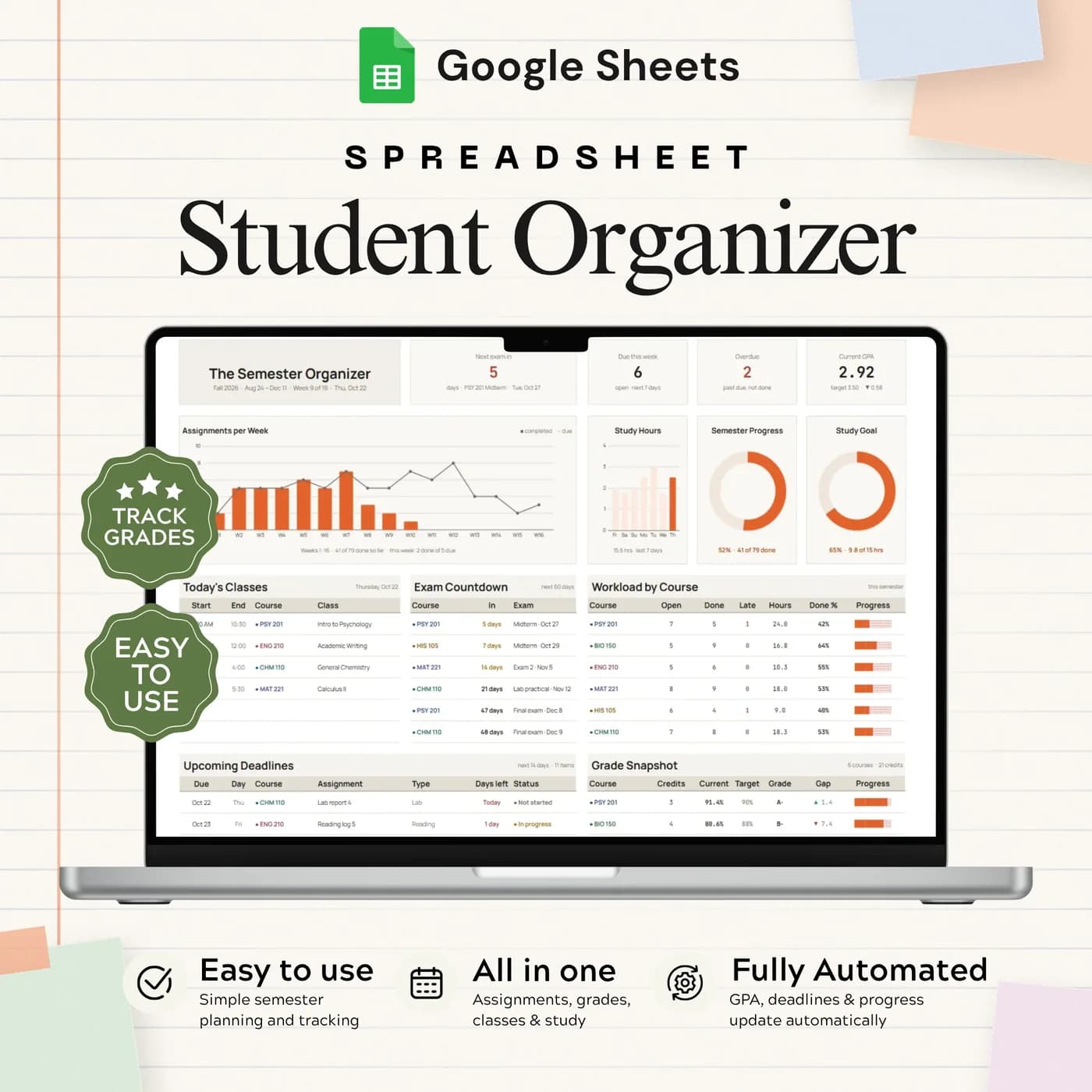
The Student Organizer is a student planner spreadsheet for a full semester. You enter your classes with their credits and target grades, add assignments with due dates, log the grades you receive and plan your timetable and study sessions. The Dashboard draws a summary from all of those tabs, so the first thing you see is what needs attention.
A good study planner template does two jobs. It tells you what is due, so deadlines do not surprise you, and it shows how you are doing, so you can adjust before the end of term. Because this workbook keeps assignments, grades and study time together, you can see whether your study hours match your goals for each class.
It is a digital student planner rather than a paper diary. It stays with you on a laptop or in the Google Sheets app, and it does not require a login beyond a Google account. You set the semester dates, your goals and your school’s grading scale in Settings.
Who this study planner is for
It suits students who want deadlines, grades and study time in one place.
Made for
- College and university students
- Students balancing several classes at once
- Anyone organising assignments and study routines
- Students who want a clear view of their current grades and GPA
- Anyone who prefers a digital planner to a paper diary
Where it stops
It does not sync with your school’s learning platform, so you enter assignments and grades yourself. It has fixed capacity: ten classes, 150 assignments, 200 grades and 300 study sessions per workbook.
What is inside: 6 tabs for a student organizer
From setup to dashboard, each tab covers one part of the semester.
Start Here
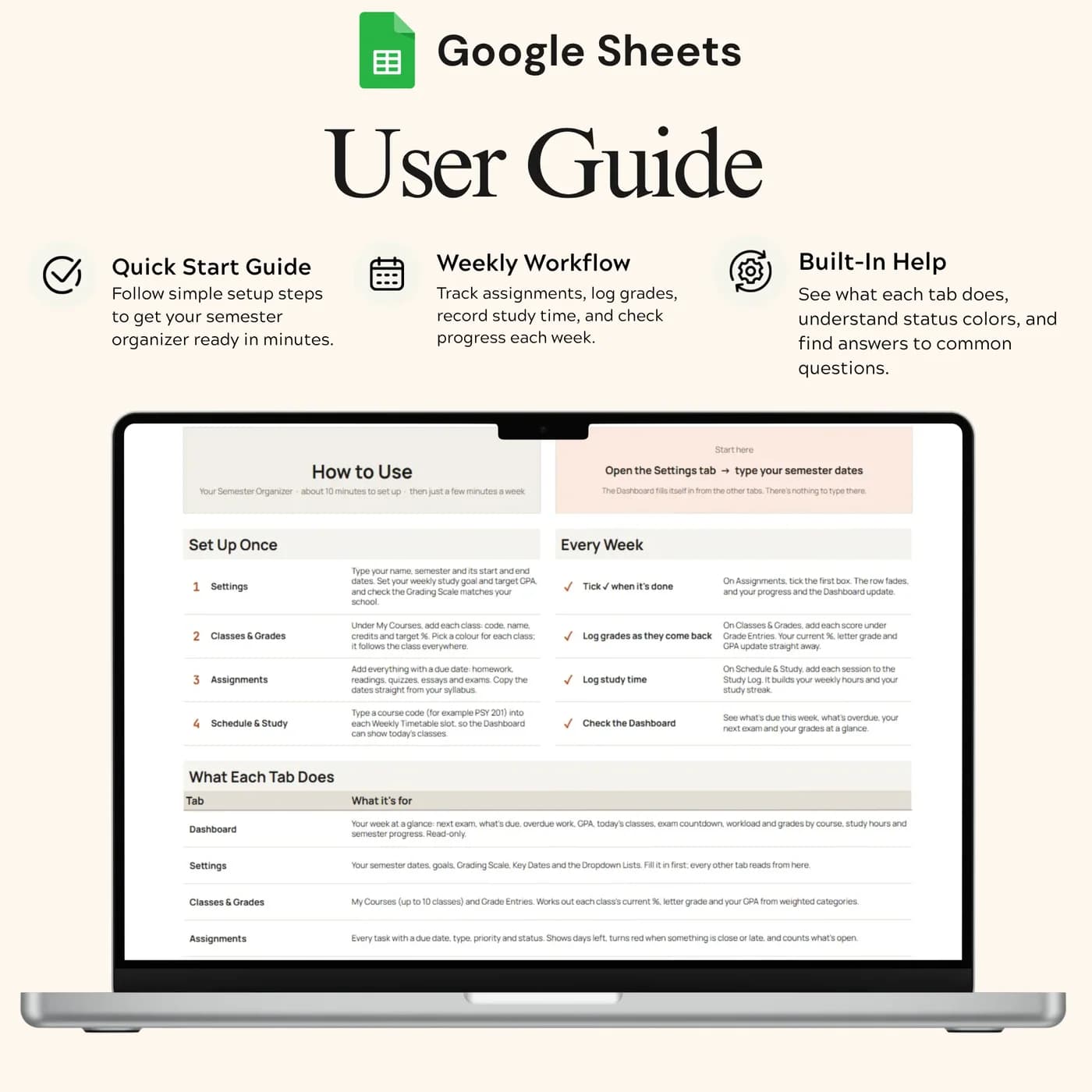
Setup and everyday workflow instructions, so you can start the semester organised.
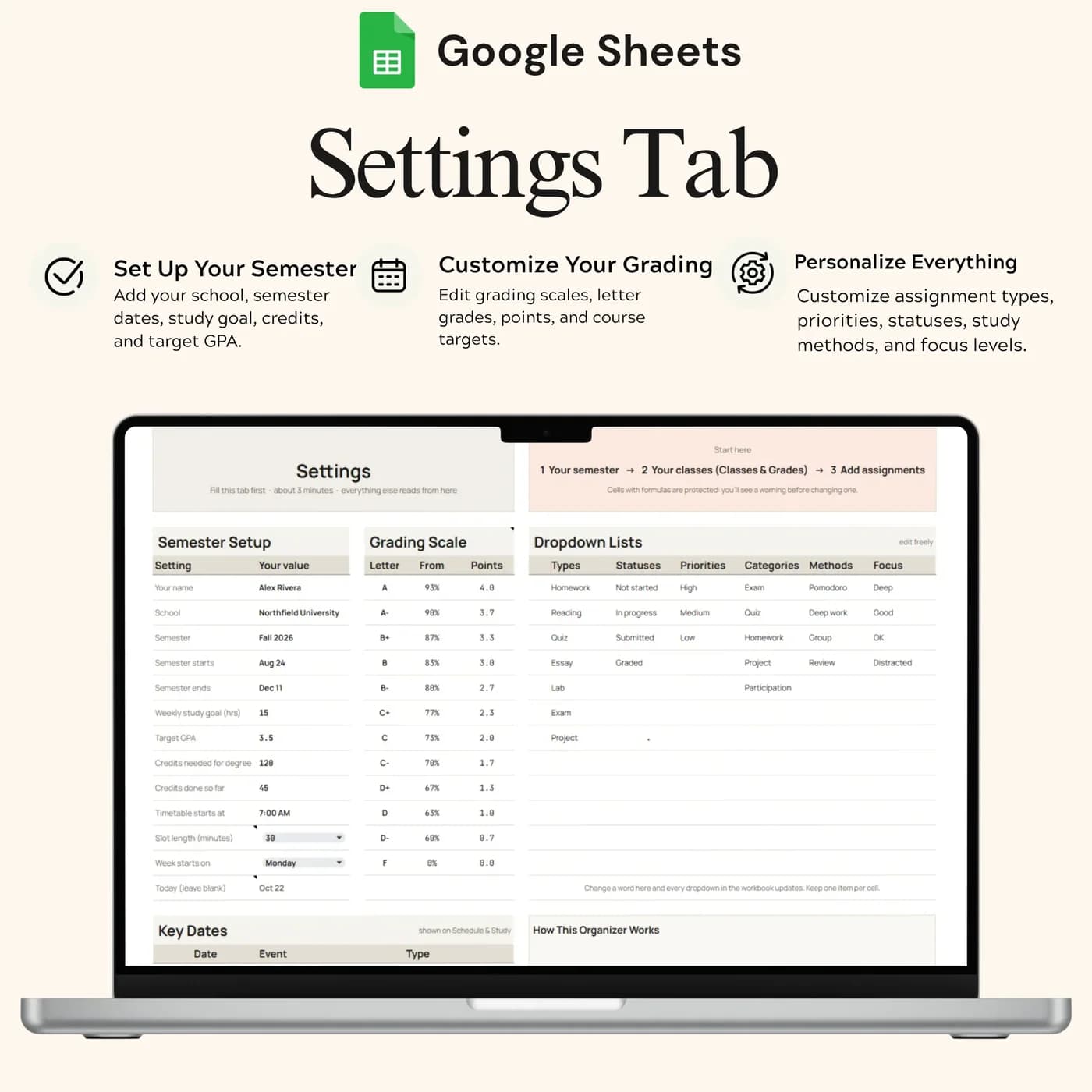
Settings
Semester dates, goals, grading scale and dropdown choices. Check and set the grading scale for your school.
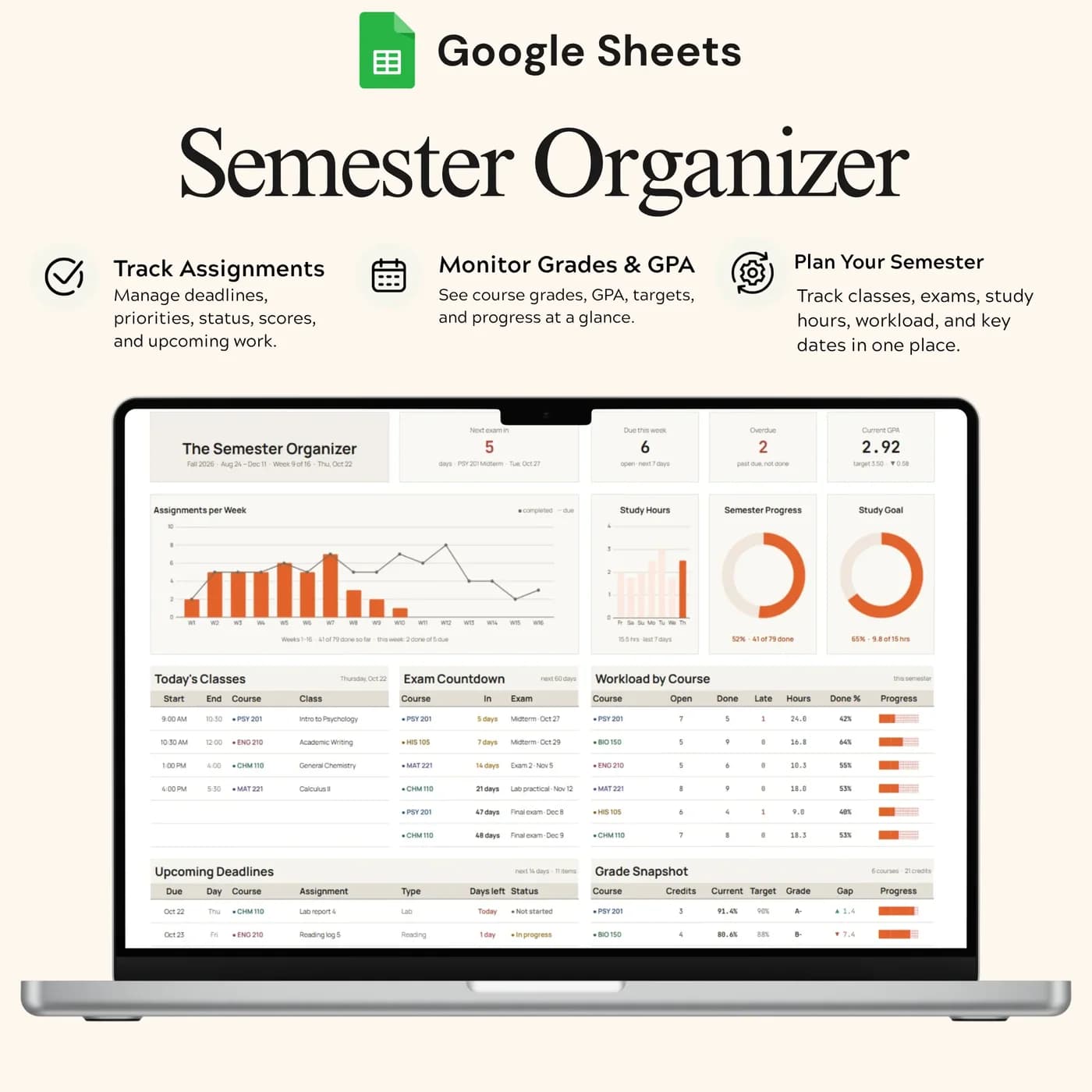
Dashboard
A summary drawn from your other tabs, so you can see what is due next and how you are doing.
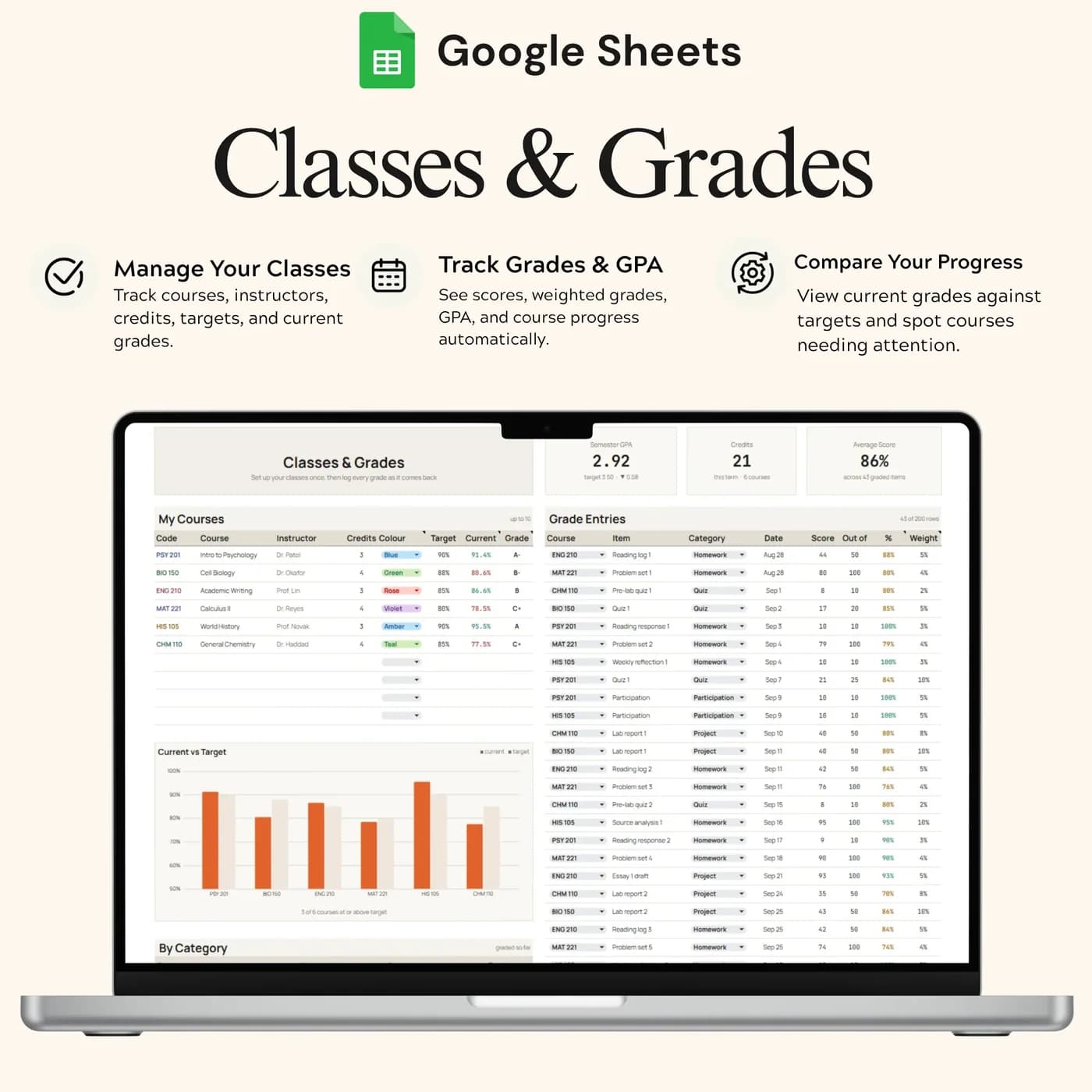
Classes & Grades
Course details, credits, target percentages and returned grades, with current grade and GPA summaries.
Assignments
Due dates and completion tracking. Mark work complete so you can review what still needs your attention. It works as a homework tracker.
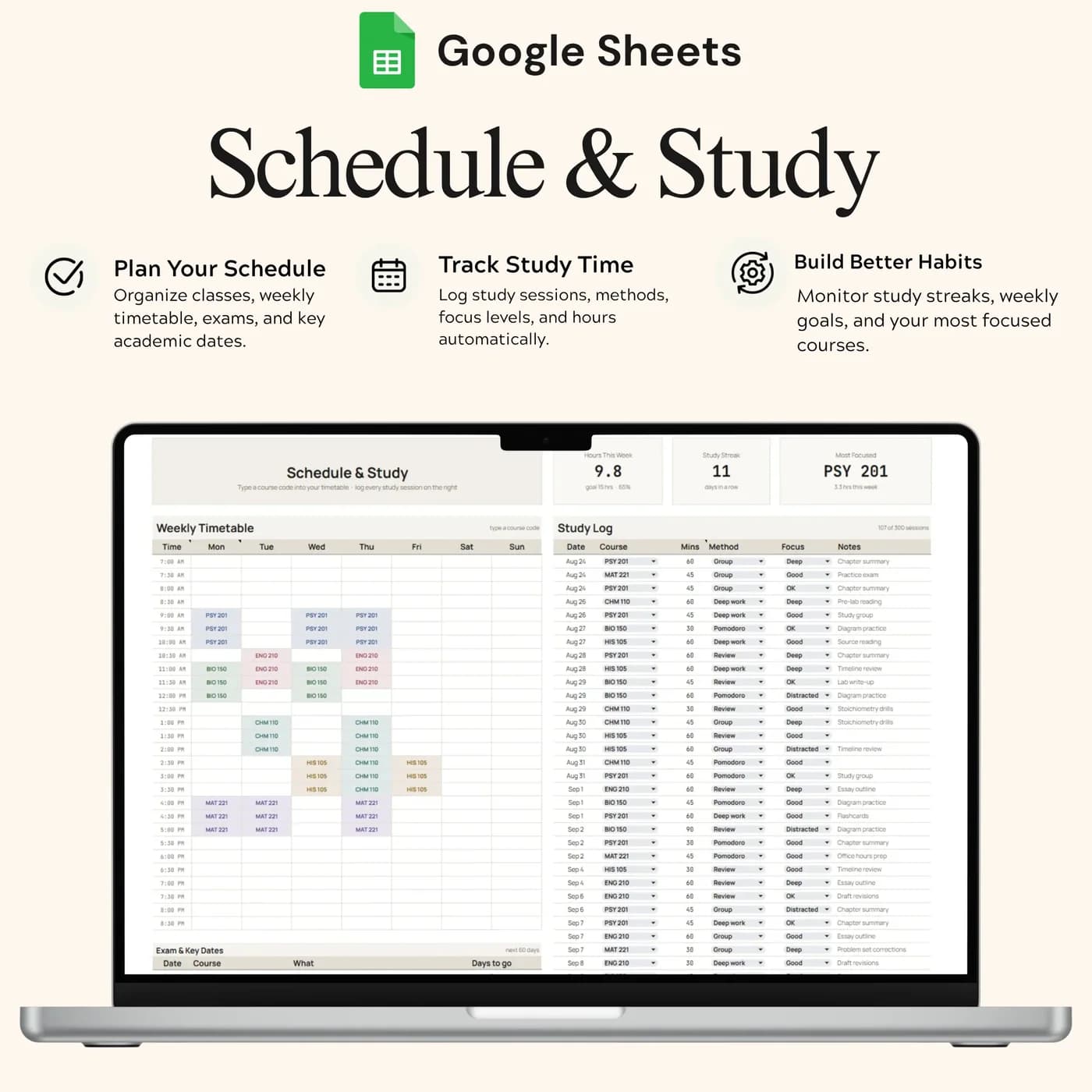
Schedule & Study
Your timetable and a study session log, so you can add classes and review your study progress.
To keep study routines going, the Habit Tracker tracks up to fifteen daily habits across the year. For reading goals alongside coursework, see the Reading Life Journal.
How to work out a weighted GPA: a worked example
A grade point average weights each grade by the credits of the class. Multiply each class’s grade points by its credits, add them up and divide by the total credits. The scale below is an example, so set your own school’s scale in Settings.
| Class, credits and grade points | Credits × points |
|---|---|
| Biology, 3 credits, 4.0 | 12.0 |
| Statistics, 4 credits, 3.0 | 12.0 |
| History, 3 credits, 3.7 | 11.1 |
| Seminar, 2 credits, 4.0 | 8.0 |
| Total, 12 credits | 43.1 |
| GPA (43.1 ÷ 12) | 3.59 |
In the workbook, you record courses, credits and returned grades in Classes & Grades, and the tab shows current grade and GPA summaries based on your scale. Seeing the figure change as grades come in helps you decide where to spend study time. The figures above are examples.
Set up your student planner at the start of term
Twenty minutes at the start of the semester saves hours of scrambling later.
Buy and download
Pay at the secure checkout and the Student Organizer download link is available immediately.
Make your copy
Open the link and save an editable copy to your own Google Drive. The file you edit is yours alone.
Read Start Here
It explains the setup and the everyday workflow.
Set your term
In Settings, enter your semester dates and goals, and check the grading scale for your school.
Add your classes
In Classes & Grades, add each course with its credits and target percentage.
Add assignments
In Assignments, enter due dates from each syllabus so you can see the whole semester at once.
Plan your time
In Schedule & Study, add your classes to the timetable and log study sessions as you go.
Enter every due date from every syllabus in the first week. A complete deadline list is what makes the Dashboard useful, and it takes the guesswork out of busy weeks.
Digital student planner vs paper planner vs app
Three common ways to organise a semester, compared on what matters.
| Feature | This template | A paper planner | A planner app |
|---|---|---|---|
| How you pay | One-time payment | Cost of the planner each year | Often free or a paid plan |
| Grades and GPA | Built in | You calculate them | Varies by app |
| Assignments, timetable and study log together | In one workbook | On separate pages | Varies by app |
| Reminders | None | None | Usually |
| Where your data lives | Your own Google Drive | On paper | On the provider’s servers |
An app can remind you; a planner template can show you the whole semester. Set a calendar reminder to review the Dashboard each week.
What you get and what you need
- Included
- A Google Sheets template with 6 tabs: Start Here, Settings, Dashboard, Classes & Grades, Assignments and Schedule & Study.
- Format
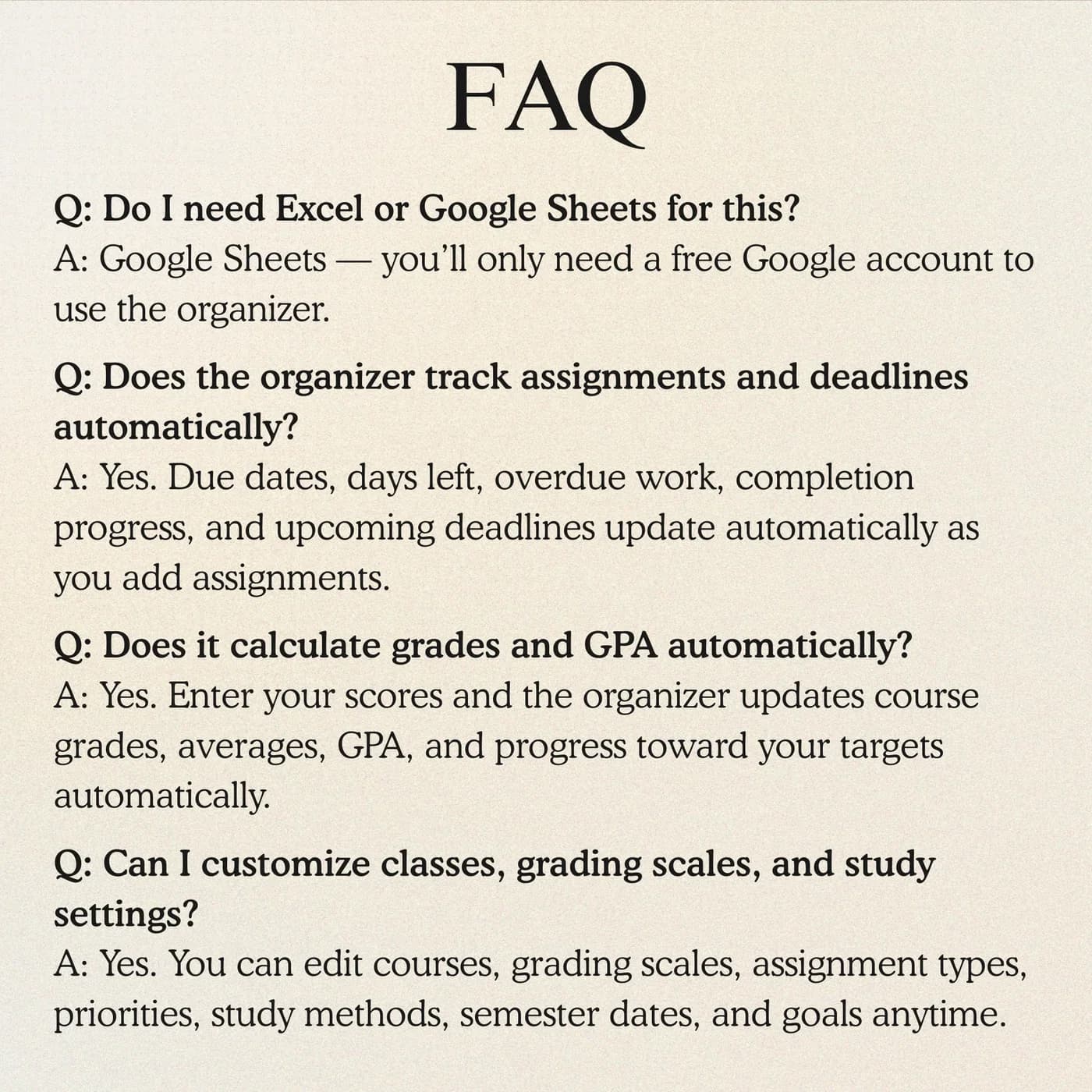
- A Google Sheets file delivered as a download link. It is not a PDF, an Excel file or a printable.
- You need
- A free Google account, to open the link and save your own editable copy.
- Excel
- Google Sheets is the supported home. An .xlsx export is possible, with the risk that formulas, charts or dropdowns change.
- Capacity
- Space for ten classes, 150 assignments, 200 grades and 300 study sessions.
- Payment
- A single payment at the Lemon Squeezy checkout, with no subscription or renewal.
Frequently asked questions
What is a student planner spreadsheet?
A student planner spreadsheet is a digital planner for classes, assignments, grades and study time. This one runs in Google Sheets, with a dashboard that summarises your semester so you can see what is due and how you are doing.
Can I change the grading scale?
Yes. Check and set the grading scale in Settings for your school. Current grade and GPA summaries use the scale you choose.
How much can it track?
The template has space for ten classes, 150 assignments, 200 grades and 300 study sessions in one workbook.
Is it a digital student planner or a study planner?
Both. It tracks assignments and deadlines like a homework planner, grades like an academic planner, and study sessions and a timetable like a study planner template.
Does it calculate my GPA?
The Classes & Grades tab includes current grade and GPA summaries based on the credits and grades you record and the grading scale you set in Settings.
Can I use it for more than one semester?
Make a fresh copy of the workbook for each semester, and set the new dates in Settings. That keeps each term’s records separate.
Does it connect to my school’s system?
No. You enter classes, assignments and grades yourself. That keeps your school login out of the file and gives you full control of your data.
Do I have to keep the sample entries in the student planner?
Yes. Any sample entries you see are placeholders. Type your own details over them in your copy, and leave the formula cells as they are.
Does the student organizer work in Microsoft Excel?
Not directly. You get a Google Sheets link rather than an Excel workbook. Exporting to .xlsx is an option inside Google Sheets, but conversion can change formulas, dropdowns and charts, so the student organizer is best used where it was built.
What do I need to open the student organizer?
A free Google account is enough. The link opens a template that you copy into your own Google Drive, and the copy is the file you edit and keep.
Do I pay monthly for the student organizer?
No. You pay once, at checkout with Lemon Squeezy, and there is nothing to renew. The copy you make is yours to keep.
Your semester, without the scattered notes
Classes, assignments, grades and study time in one Google Sheets planner.
Last updated . Written by the DGClicks Store team.