


- 4 tabs
- Orders, settings and dashboard
- $10.49
- One payment, no subscription
- Google Sheets
- Editable copy in your own Drive
- Instant
- Download link arrives at checkout
What is the Order Tracker Command Center?
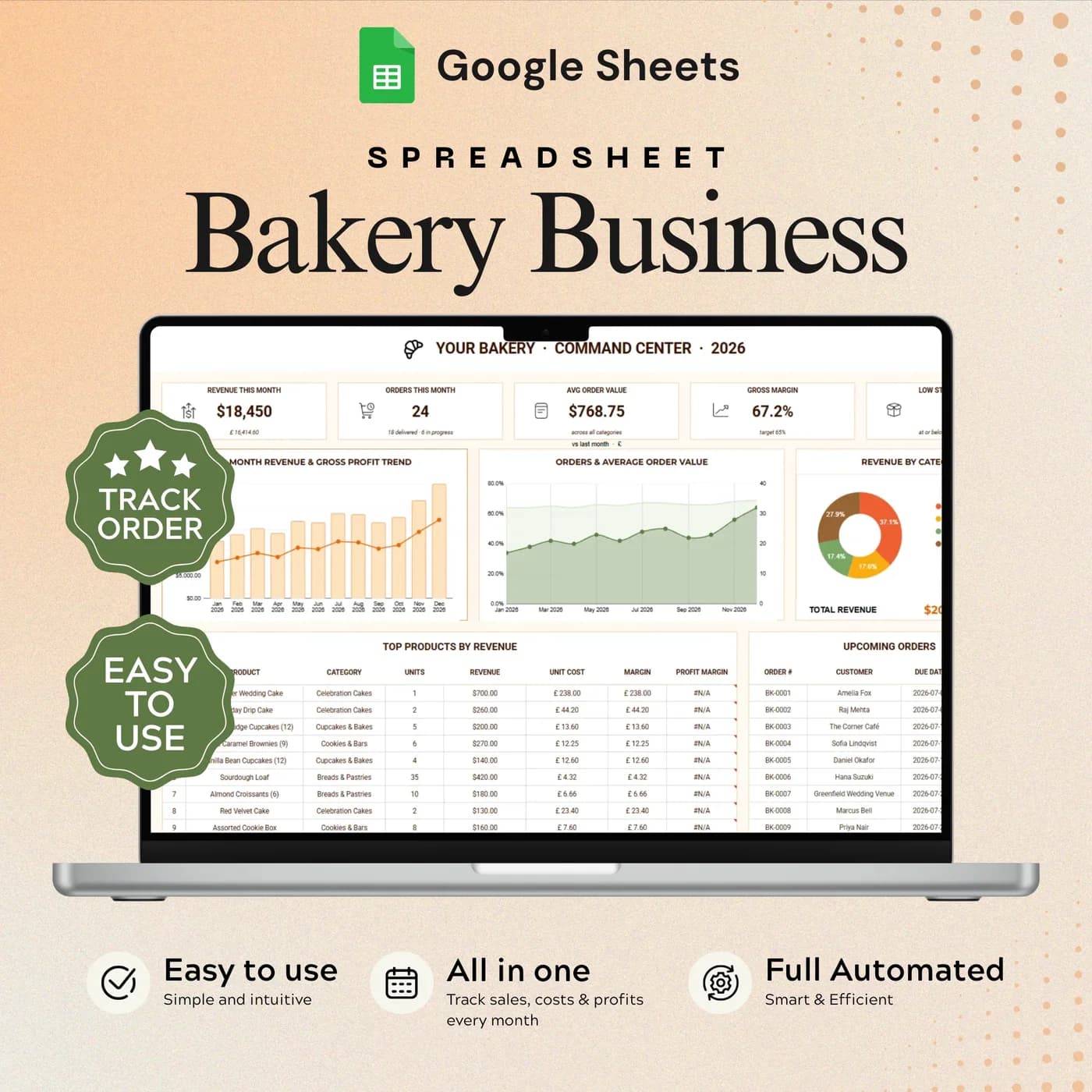
The Order Tracker Command Center is a bakery order tracker spreadsheet. You record each order once, with the customer, the products, the dates, the value and the status, and the sales dashboard builds its charts from those entries. It is one Google Sheets file that replaces a trail of messages, sticky notes and half-remembered phone calls.
Orders reach a home bakery from everywhere: a message, a call, a form, a market stall. The trouble starts when each channel keeps its own list, because a cake order that lives only in a chat is an order you can forget. A single bakery order sheet fixes that. Every order has a due date and a status, so the question “what do I need to bake this week?” has one answer.
It is also a record of how the business is doing. The dashboard shows revenue and product performance, so you can see which cakes, cupcakes and cookie boxes carry the month. If you also want recipe costing or stock control, those are separate templates; this one stays focused on orders and sales.
Who this bakery order tracker is for
It suits anyone who sells made-to-order products and needs to know what is due and when.
Made for
- Home bakers who take cake, cupcake and cookie orders
- Small product businesses with more orders than paperwork can handle
- Makers who receive orders through several channels and want one list
- Bakers who collect orders with a form and need somewhere to manage them afterwards
- Anyone who wants to see revenue and best sellers without building charts
Where it stops
This is a tracker, not a customer-facing order form. It does not take payments, and it does not include inventory or recipe costing, which are separate templates. You enter orders yourself, and the dashboard works from what you enter.
What is inside: 4 tabs for tracking bakery orders
A short workbook, so you can be taking orders within minutes of opening it.
Start Here
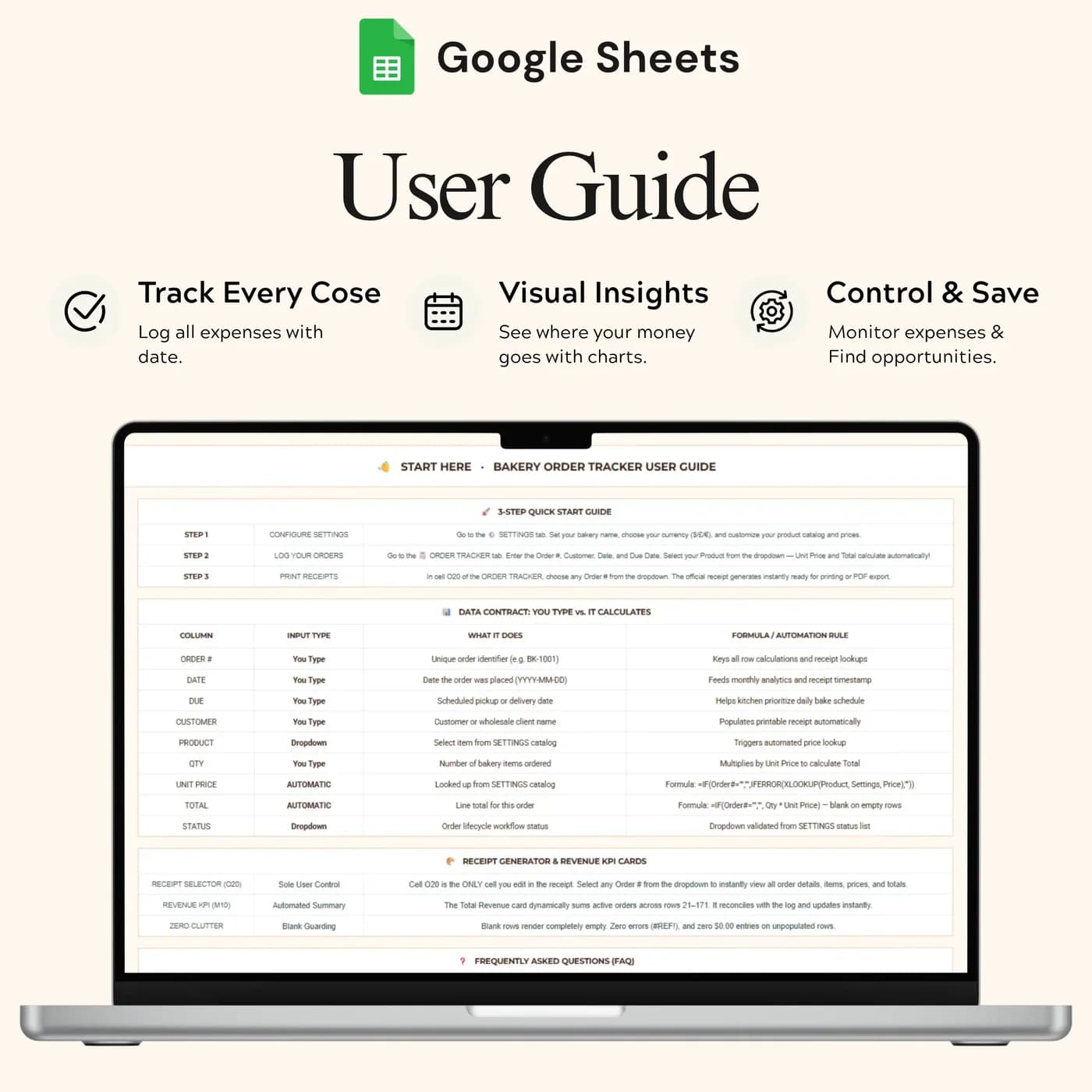
Quick setup and guidance for the order log, so you know what to fill in first and what to leave alone.
Settings
Business settings and order options. Set up the dropdown values you use before you record your first order, so entries stay consistent.
Order Tracker
The main log: customer orders, products, dates, values and status. It works as a bakery order template for cake, cupcake, cookie and pastry orders.
Sales Dashboard
Revenue charts and product performance summaries drawn from your order log, so a month of orders becomes a picture you can read at a glance.
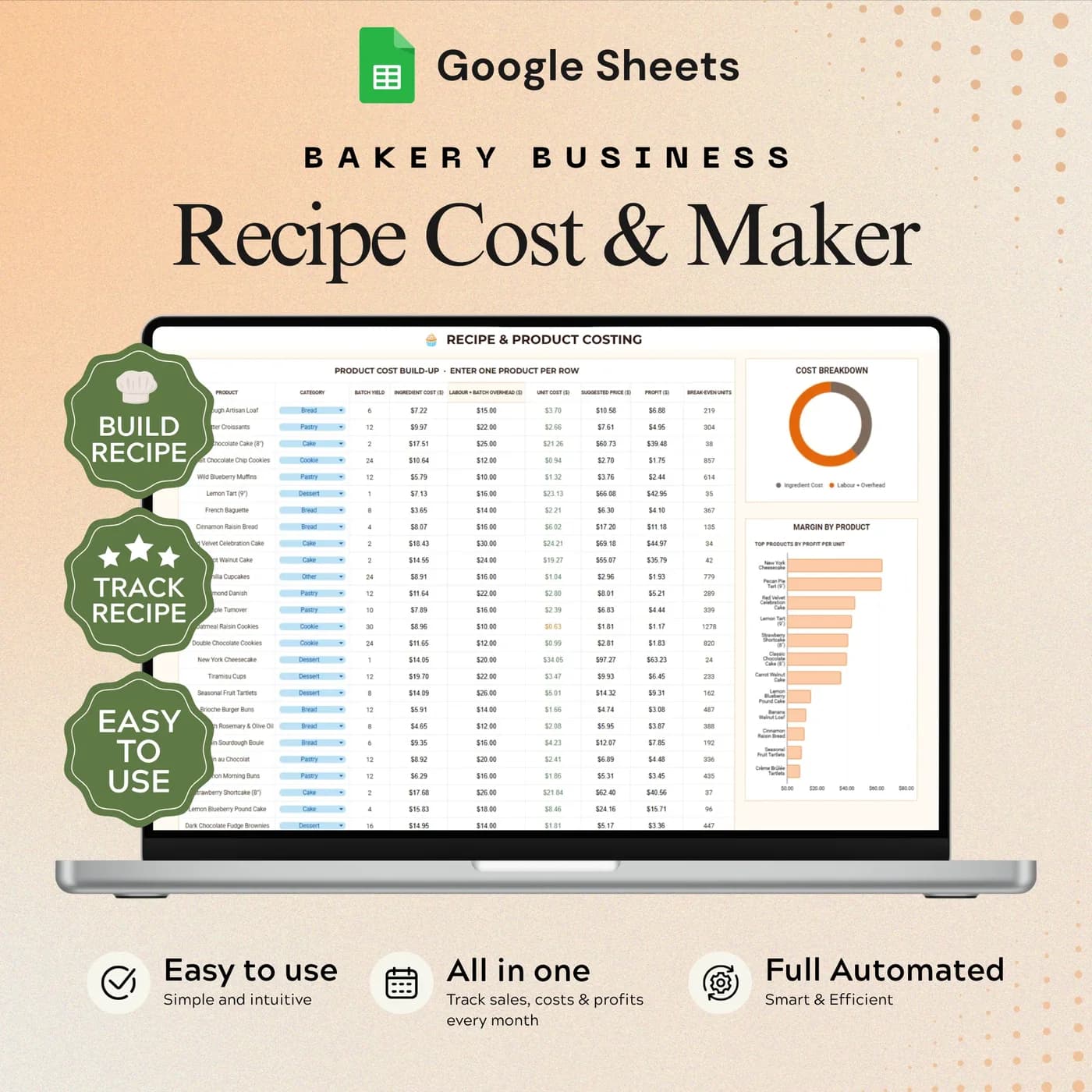
If you want costs as well as orders, the Bakery Business Command Center adds recipe costing, stock, production, expenses and profit and loss. For pricing alone, see the Recipe Costing & Builder.
How to log a custom cake order: a worked example
A good order record answers four questions before you start baking: who, what, when and how much. This is how one custom cake order looks in a log, with example figures.
| Field | Example entry |
|---|---|
| Customer | A. Rivera |
| Product | Two-tier vanilla celebration cake |
| Order date | 3 November |
| Due date | 15 November |
| Order value | $120.00 |
| Status | In production, then Delivered |
Because every order carries a due date and a status, you can sort the log by date and see the week ahead in seconds. When an order is delivered, change its status and the dashboard counts it. The figures above are examples, so use your own prices and products.
Set up your bakery order tracker in a few minutes
There is no accounting to learn. You set your options once, then add orders as they arrive.
Buy and download
Check out with Lemon Squeezy and you get the link to the Order Tracker Command Center as soon as the order completes.
Make your copy
Copy the template into your Google Drive from the link. Work in your own copy and leave the original untouched.
Read the Start Here tab
It explains the layout and which cells are inputs, so the formula areas stay intact.
Set your options
Open Settings and add your business details and the dropdown values you use, such as products and statuses.
Log your first order
Add the customer, product, dates and value in the Order Tracker tab.
Check the dashboard
Open the Sales Dashboard to see revenue and product performance update from your entries.
If you collect orders with an online form, keep doing that. Copy each new order into the tracker so that all your orders, whichever way they arrive, are in one place with one status.
Order tracker spreadsheet vs notes app vs bakery software
Three common ways to keep track of bakery orders, compared on what matters to a small kitchen.
| Feature | This template | Notes app and chat history | Bakery order management software |
|---|---|---|---|
| How you pay | One-time payment | Free | Often a monthly or yearly plan |
| Finding an order | One log you can search and filter in Google Sheets | Scroll through messages | Search inside the app |
| Due dates and status | A date and a status on every order | Only if you remember to write them | Usually built in |
| Sales overview | Revenue charts on the dashboard | None | Usually built in |
| Where your data lives | Your own Google Drive | Scattered across apps | On the provider’s servers |
Software can do more than a spreadsheet, and it also asks for a subscription and a learning curve. For a home bakery, a single well-organised log often does the job.
What you get and what you need
- Included
- A Google Sheets template with 4 tabs: Start Here, Settings, Order Tracker and Sales Dashboard.
- Format
- A link to a Google Sheets template. You do not receive a PDF, an Excel workbook or a printable.
- You need
- A Google account and a browser or the Google Sheets app. Your copy is saved in your Google Drive.
- Excel
- Google Sheets is the supported home. An .xlsx export is possible, with the risk that formulas, charts or dropdowns change.
- Scope
- Orders and sales reporting only. Inventory and recipe costing are separate templates.
- Payment
- A single payment at the Lemon Squeezy checkout, with no subscription or renewal.
Frequently asked questions
What is a bakery order tracker?
A bakery order tracker is a spreadsheet or app where you record every customer order with its products, due date, value and status. The Order Tracker Command Center does this in Google Sheets and adds a sales dashboard, so you can see what is due and how sales are going.
Is this a bakery order form?
No. It is the tracker behind your orders, not a form your customers fill in. Collect orders by message, call or an online form, then record each one in the Order Tracker tab so the whole bakery order sheet lives in one place.
Can I use it for cake and cupcake orders?
Yes. The log records the customer, product, dates, value and status, so it suits custom cake orders, cupcake boxes, cookies and pastries. Add your own product names in Settings to keep entries consistent.
What does the sales dashboard show?
The Sales Dashboard shows revenue charts and product performance summaries built from your order log. You enter the orders; the charts update from them.
Does it include inventory or recipe costing?
No. This template focuses on orders and sales reporting. Inventory and recipe costing are covered by the Bakery Inventory & Ingredient Cost Tracker and the Recipe Costing & Builder, or together in the Bakery Business Command Center.
Do I have to enter the orders myself?
Yes. You add and update orders in the log. It does not connect to your messages, your online shop or your bank, and the dashboard uses only the entries you make.
Can I track orders from several sales channels?
Yes. Because every order goes into the same log, orders that arrive by message, phone or form sit side by side. Set up the dropdown values you use in Settings before you start.
Will it send reminders or take payments?
No. It is a planning and tracking template. Take payment and contact customers through the tools you already use, then record the result in the tracker.
Does the order tracker work in Microsoft Excel?
Not directly. You get a Google Sheets link rather than an Excel workbook. Exporting to .xlsx is an option inside Google Sheets, but conversion can change formulas, dropdowns and charts, so the order tracker is best used where it was built.
Is a Google account required for the order tracker?
You need a free Google account. Open the link, choose to make a copy, and the workbook is saved in your Google Drive ready for your own details.
Is there a recurring fee for the order tracker?
There is no recurring fee. The price is a single payment handled by Lemon Squeezy, and you keep the file afterwards.
Keep every bakery order in one place
A tracker for orders and a dashboard for sales, in one Google Sheets file.
Last updated . Written by the DGClicks Store team.