
- 15 habits
- Set up once in Setup
- 12 months
- A monthly view for every month
- $10.49
- One payment, no subscription
- Google Sheets
- Editable copy in your own Drive
What is the Habit Tracker?
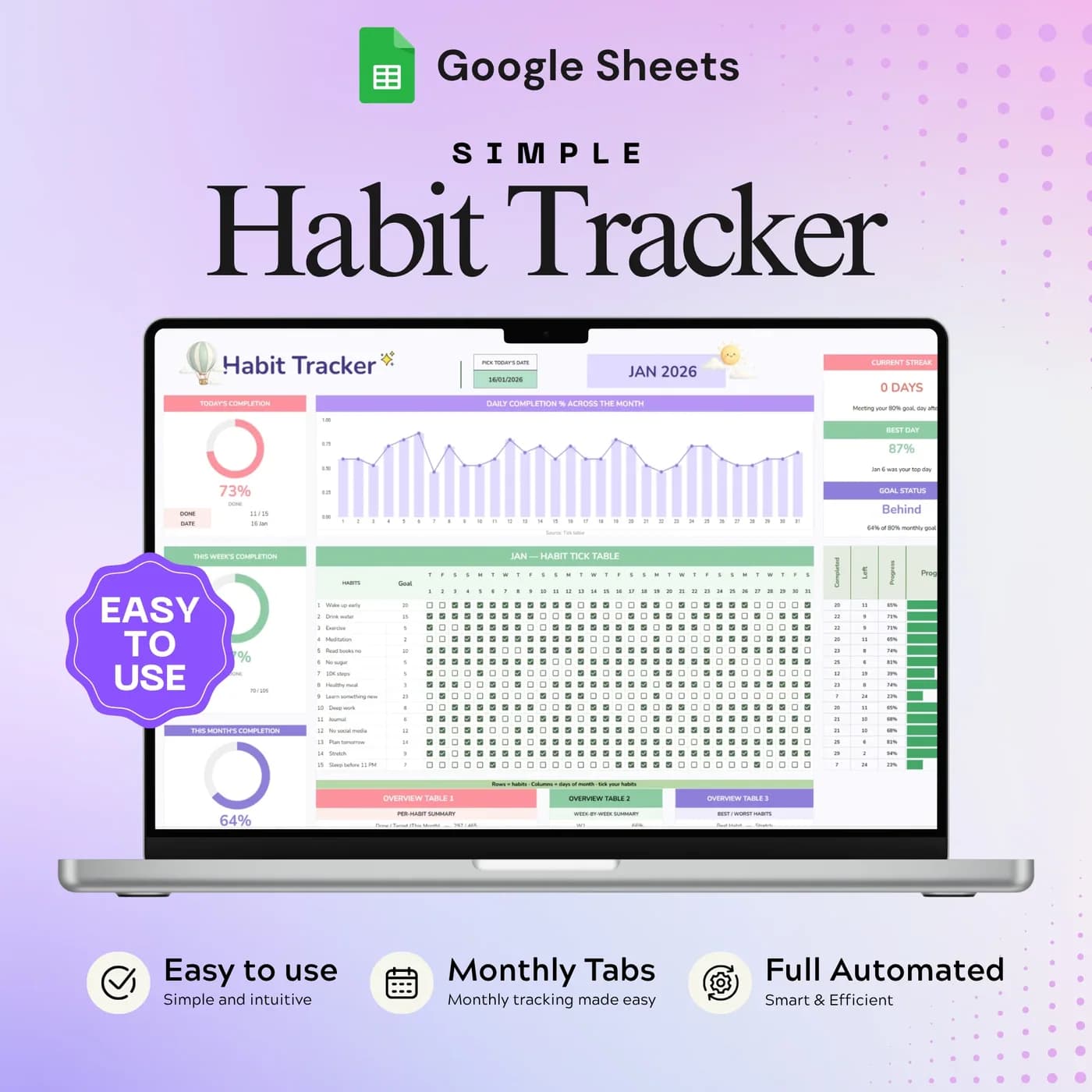
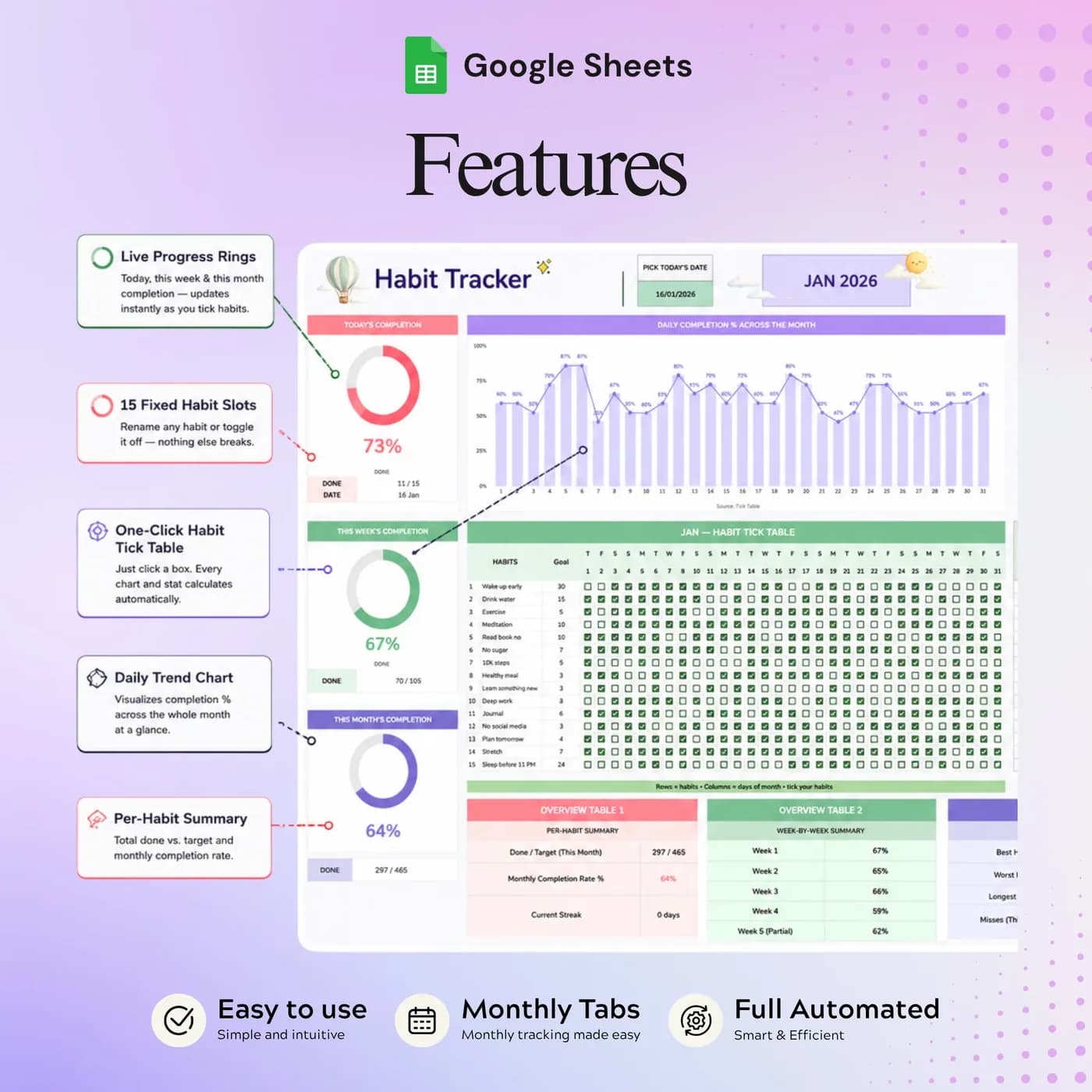
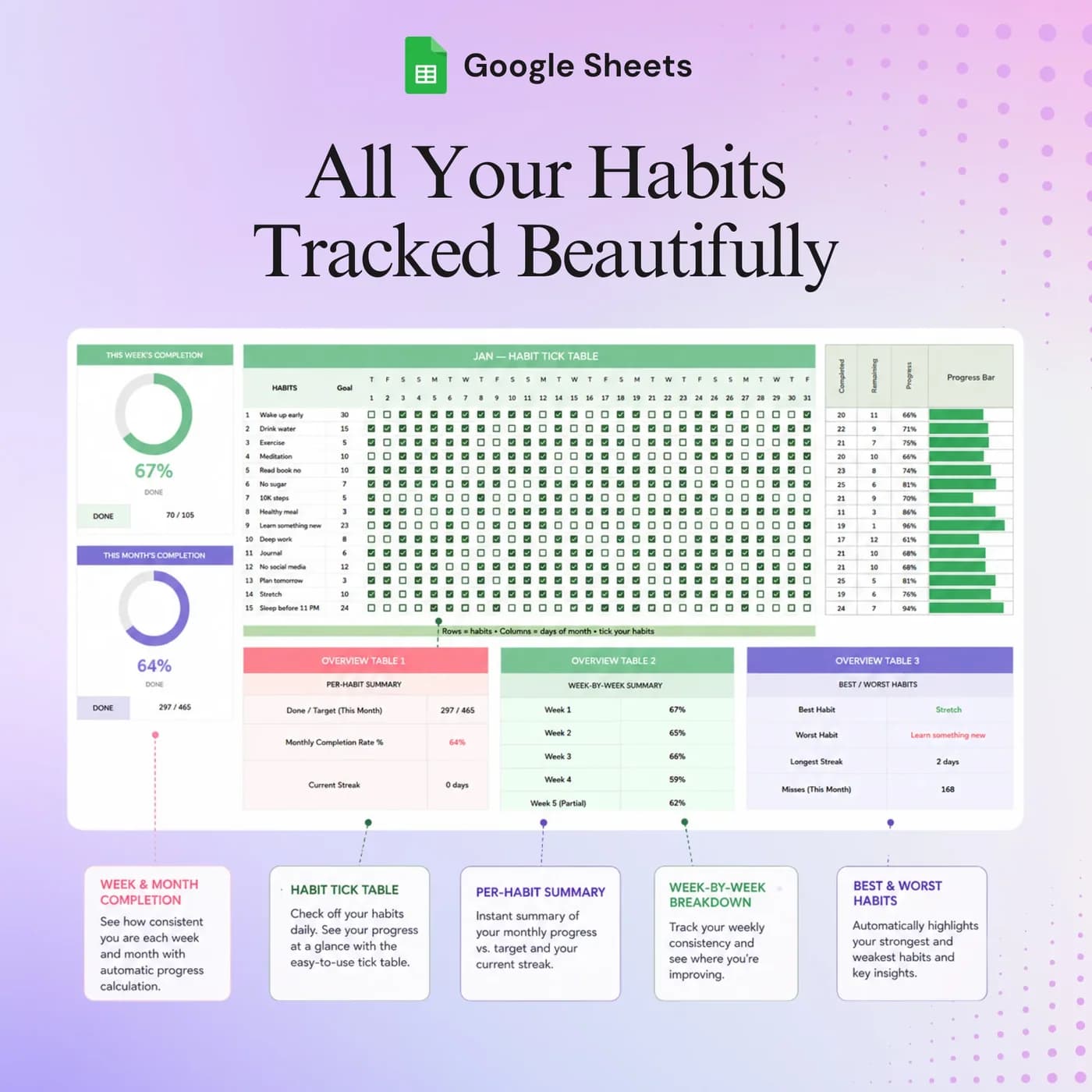
The Habit Tracker is a daily habit tracker built in Google Sheets. A Setup tab holds up to fifteen habits and your global settings. Then January through December each have their own monthly grid, where you mark the habits you completed each day, with completion charts and streak information alongside.
Habits are built from small, repeated actions, and the thing that keeps most people going is seeing the chain. A visible monthly grid makes a skipped day obvious and a good week satisfying. Habit tracking works best when it is quick, which is why this spreadsheet is a grid of ticks and not a form to fill in.
It covers the whole year in one file. There are no apps to install and no streak to lose to a notification you ignored: you open the sheet, tick today’s habits and check how the month is going. If you prefer a monthly check-in to a daily nudge, this habit tracking spreadsheet fits that way of working.
Who this habit tracking spreadsheet is for
It suits anyone who prefers a calm grid to a gamified app.
Made for
- People building everyday habits
- Students balancing study and personal routines
- Anyone who prefers a simple monthly check-in
- People who want to see a whole year of routines in one file
- Anyone who likes tracking in Google Sheets rather than another app
Where it stops
It will not send reminders and it does not sync with fitness or health apps. You tick the habits yourself. The template holds fifteen habit slots, so very long habit lists will need a second copy.
What is inside: a Setup tab and 12 monthly tabs
Thirteen tabs, but only two ideas: set up your habits, then track them month by month.
Setup
Define your fifteen habits and global settings once. Every monthly view uses what you set here.
January to December
A separate tab for each month, each with a monthly habit grid where you mark completed days. Switch month by switching tab.
Completion charts
Each monthly view includes completion charts, so you can review how your routine changes through the month and see daily completion.
Streaks
Check today’s completion and your current streak, then return to the habits you want to keep building.
For study routines alongside habits, the Student Organizer tracks classes, assignments and study sessions. To plan meals as a routine, see the Meal Planner.
How to read a habit tracker: a worked example
Completion rate is the share of possible check-ins that you actually completed. It is the simplest honest measure of a month. This example uses 15 habits in a 30-day month with example figures.
- Completed360
- Missed90
| Measure | Example |
|---|---|
| Habits tracked | 15 |
| Days in the month | 30 |
| Possible check-ins (15 × 30) | 450 |
| Completed | 360 |
| Completion rate (360 ÷ 450) | 80% |
| One habit: walk 20 minutes, completed 24 of 30 days | 80% |
Each monthly view shows completion for you, so you do not have to count. A rate of around 80% across fifteen habits is a strong month, and it is more useful to notice which habits pull the number down than to chase a perfect score. If one habit stays low, make it smaller. The figures above are examples.
Start your habit tracker in ten minutes
Pick fewer habits than you think you need. You can always add more.
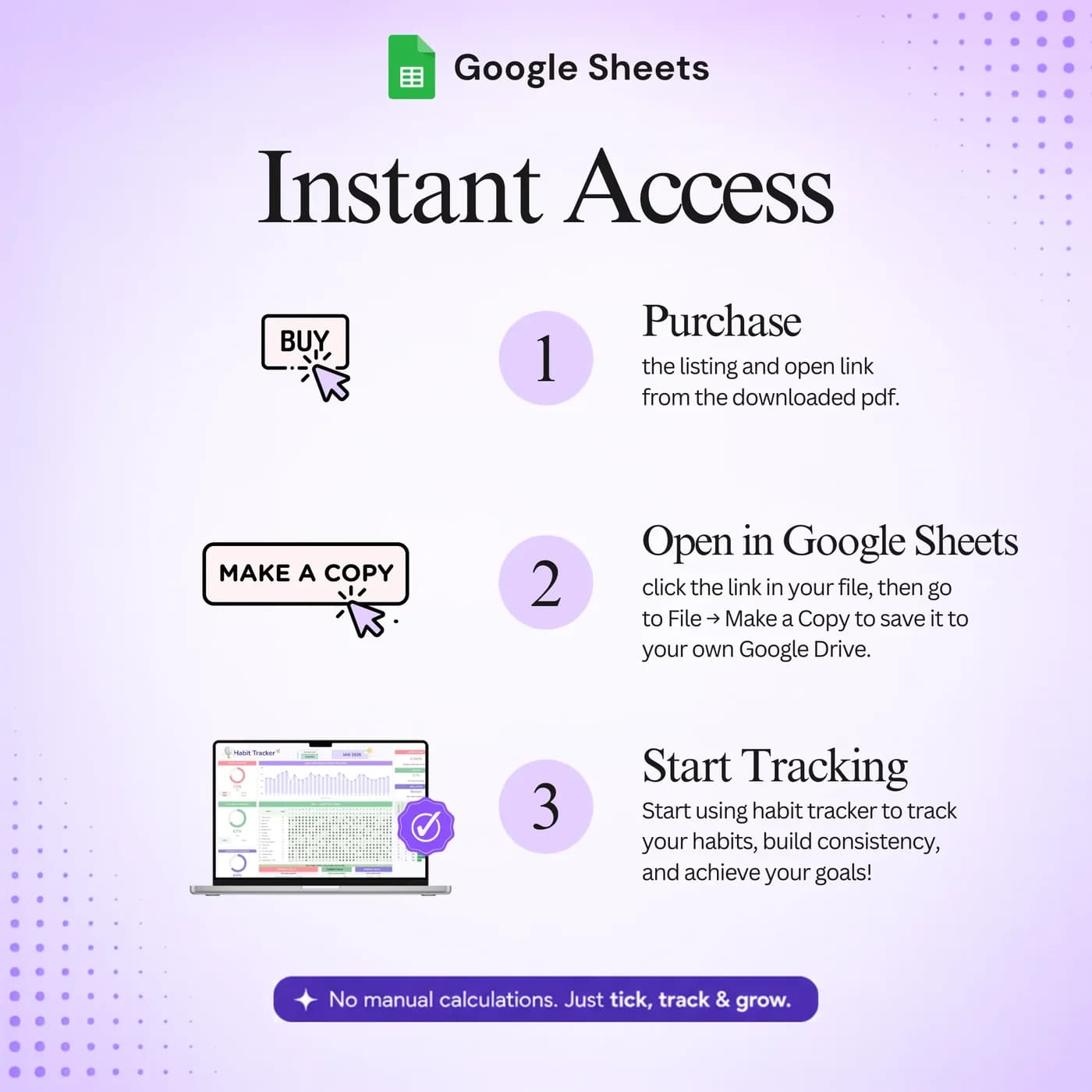
Buy and download
Check out with Lemon Squeezy and you get the link to the Habit Tracker as soon as the order completes.
Make your copy
Open the link and save an editable copy to your own Google Drive. The file you edit is yours alone.
Name your habits
In Setup, define your habits. There are fifteen slots, and starting with three to five is plenty.
Choose your global settings
Set the year and any other settings in Setup.
Open this month
Go to the tab for the current month and find your habits in the grid.
Tick each day
Mark each habit you complete. Check the charts and streaks when you want to see how you are doing.
Tick at a fixed time, such as just before bed. A habit tracker works when ticking is itself a habit, and a quick end-of-day check-in takes under a minute.
Habit tracker spreadsheet vs app vs paper journal
Three common ways to track habits, compared on what matters.
| Feature | This template | A habit tracking app | A paper journal |
|---|---|---|---|
| How you pay | One-time payment | Often free with a paid tier | Cost of the notebook |
| Whole year in one place | Yes, twelve monthly views | Usually | Only if you keep a year-long layout |
| Charts and streaks | Built in | Usually built in | You draw them |
| Reminders | None | Usually | None |
| Where your data lives | Your own Google Drive | On the provider’s servers | On paper |
An app can nudge you. A spreadsheet will not. If a nudge matters to you, set a calendar reminder to open the sheet.
What you get and what you need
- Included
- A Google Sheets template with a Setup tab and twelve monthly tabs from January to December.
- Format
- Delivered as a Google Sheets link, not as a PDF, an .xlsx file or a printable.
- You need
- A free Google account, to open the link and save your own editable copy.
- Excel
- Made in Google Sheets. Excel can open a downloaded copy, though some dropdowns, formulas and charts may not convert correctly.
- Capacity
- Fifteen habit slots, named in Setup.
- Payment
- Pay once through Lemon Squeezy. Nothing recurs.
Frequently asked questions
What is a habit tracker spreadsheet?
A habit tracker spreadsheet is a grid where you mark each habit as done or not done each day. This one runs in Google Sheets, holds fifteen habits and gives every month its own view with completion charts and streak information.
How many habits can I set up?
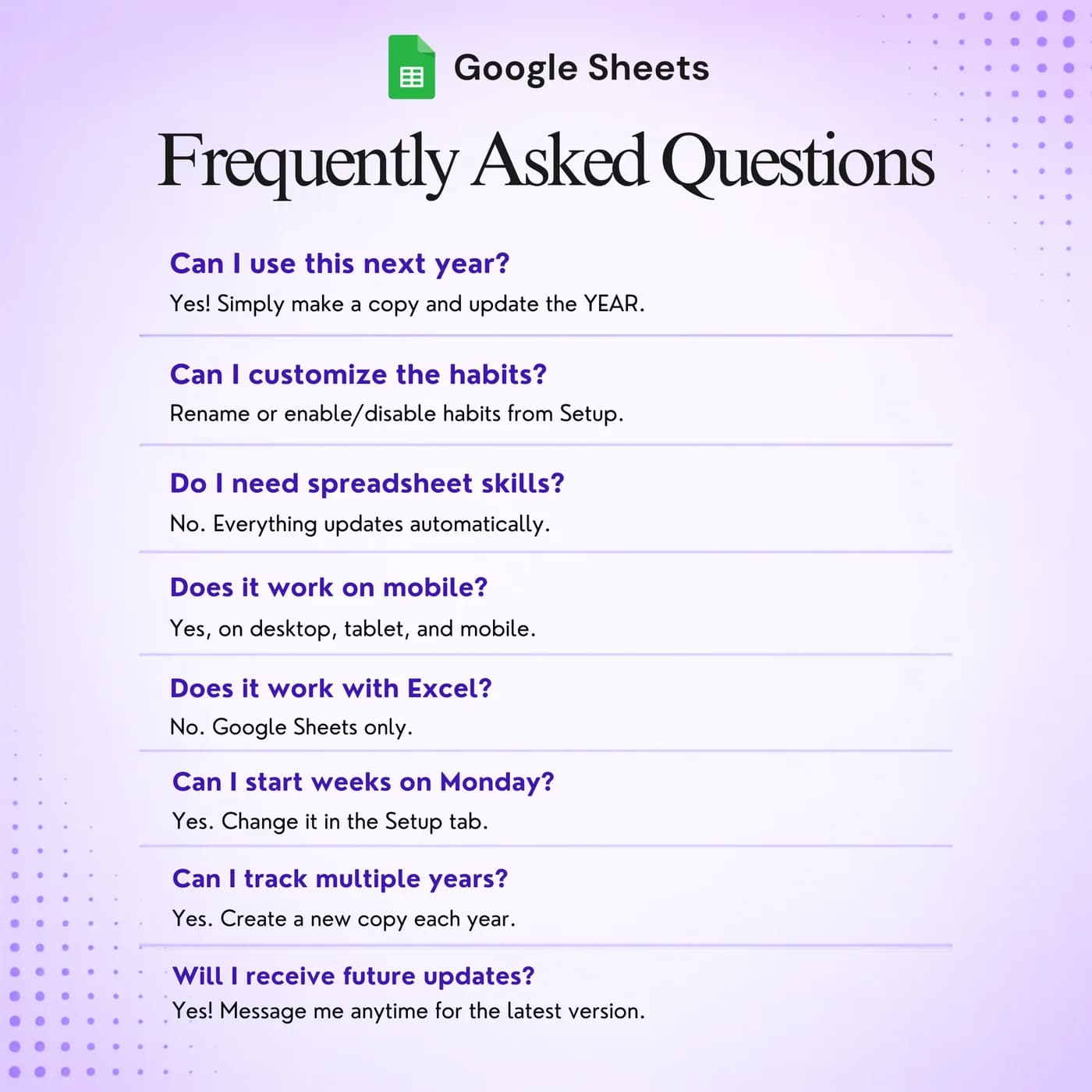
The template has fifteen habit slots. Set their names in Setup, and the monthly views use them.
Does it cover a whole year?
Yes. It contains separate views for January through December, plus Setup, so you can track a habit all year in one file.
Is it a Google Sheets habit tracker?
Yes. It is a Google Sheets habit tracker delivered as a link. Make your own copy in Google Drive and it works in the browser and in the Google Sheets app.
What do the charts show?
Each monthly view includes completion charts and daily completion, so you can see how your routine changes through the month and check your current streak.
Can I use it as a daily habit tracker?
Yes. You tick habits day by day in the monthly grid. The structure is monthly, and the ticking is daily.
Will it send me reminders?
No. It is a spreadsheet, so it has no notifications. Pair it with a phone or calendar reminder to open the sheet at the same time each day.
Do I have to keep the sample entries in the habit tracker?
Yes. Any sample entries you see are placeholders. Type your own details over them in your copy, and leave the formula cells as they are.
Can I use this habit tracker in Excel?
It is built for Google Sheets and delivered as a link, not as an Excel file. A Google Sheet can be downloaded as .xlsx, but formulas, dropdowns and charts may not all behave the same way in Excel, so the habit tracker works best in Google Sheets.
What do I need to open the habit tracker?
A free Google account is enough. The link opens a template that you copy into your own Google Drive, and the copy is the file you edit and keep.
Do I pay monthly for the habit tracker?
No. You pay once, at checkout with Lemon Squeezy, and there is nothing to renew. The copy you make is yours to keep.
Small routines, a clearer sense of progress
Fifteen habits across twelve monthly views, with charts and streaks, in one Google Sheets file.
Last updated . Written by the DGClicks Store team.