

- 10 tabs
- Library, journeys, reviews and goals
- $10.49
- One payment, no subscription
- Google Sheets
- Editable copy in your own Drive
- Instant
- Download link arrives at checkout
What is the Reading Life Journal?
The Reading Life Journal is a digital reading journal template that does more than list titles. It holds a library of the books you own or want to read, a journey for each time you read one, a log of reading sessions, reviews and reflections, monthly journal notes, challenges and goals. A Reading Room tab gives the main overview.
A plain reading list answers one question: what have I read? A reading tracker built as a spreadsheet can answer more. How many books am I on pace for this year? Which format do I read most? Which authors keep earning five stars? Keeping the data in Google Sheets means you can sort, filter and look back, and you never lose your history when an app shuts down.
It is a personal journal as much as a book tracker. The review and monthly journal tabs give your opinions and reflections a home, so the story of your reading life is more than a list of titles with star ratings.
Who this book tracker spreadsheet is for
It suits readers who want to keep more than a list.
Made for
- People building a personal library
- Readers tracking print, ebook and audio journeys
- Anyone keeping reading notes and goals together
- Book club members who want a record of what they read and thought
- Readers who reread favourites and want each reread logged separately
Where it stops
It does not look up books or fetch covers and details automatically, and it is not a social network. You enter your own books, sessions and reviews. The “What you get and what you need” section on this page lists exactly what is included.
What is inside: 10 tabs for a reading journal
From the library to the goals, each tab covers one part of your reading life.
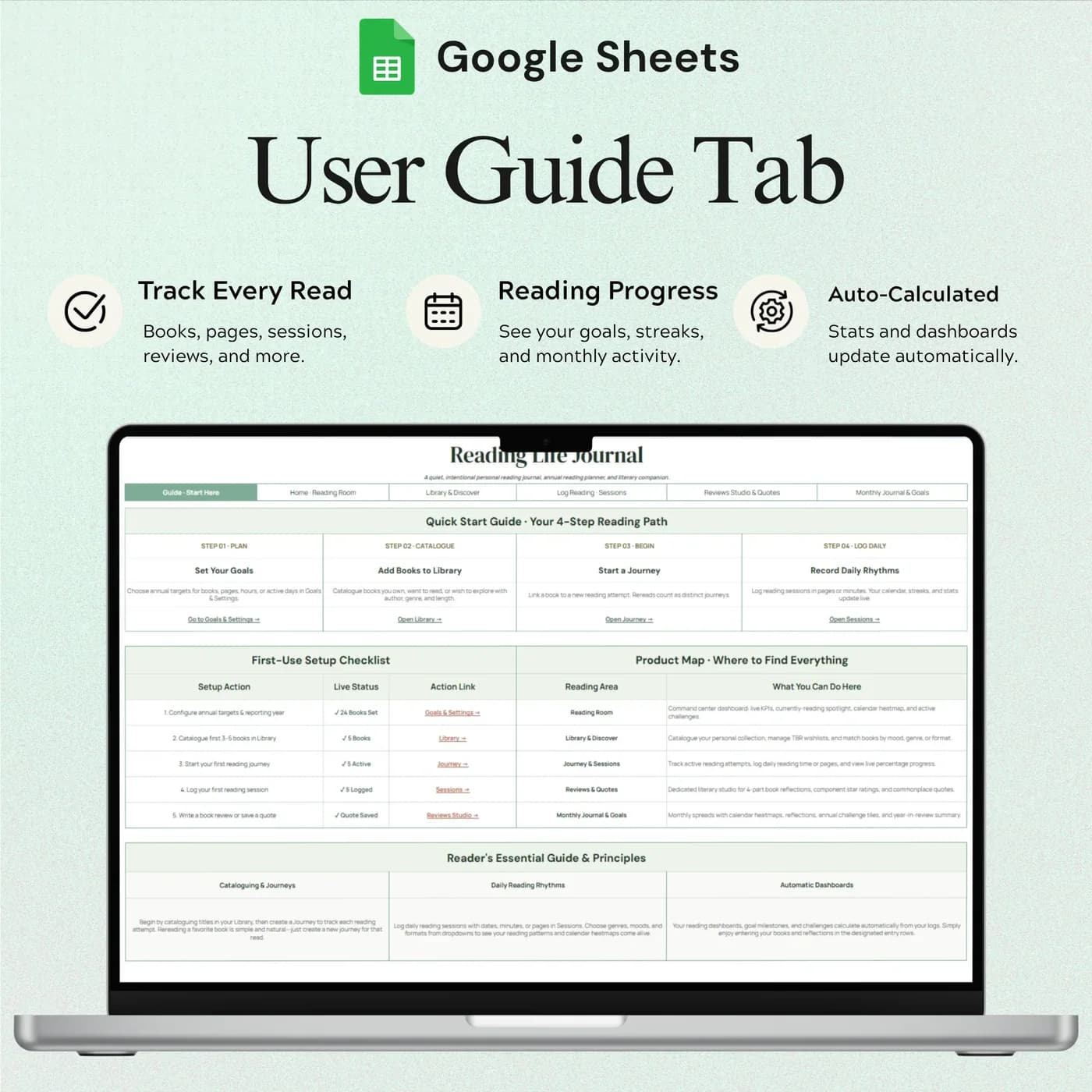
Start Here
Guidance for the reading journal workflow, so you know where to begin.
Reading Room
Your main reading overview, the page you open to see how your reading year is going.
Library
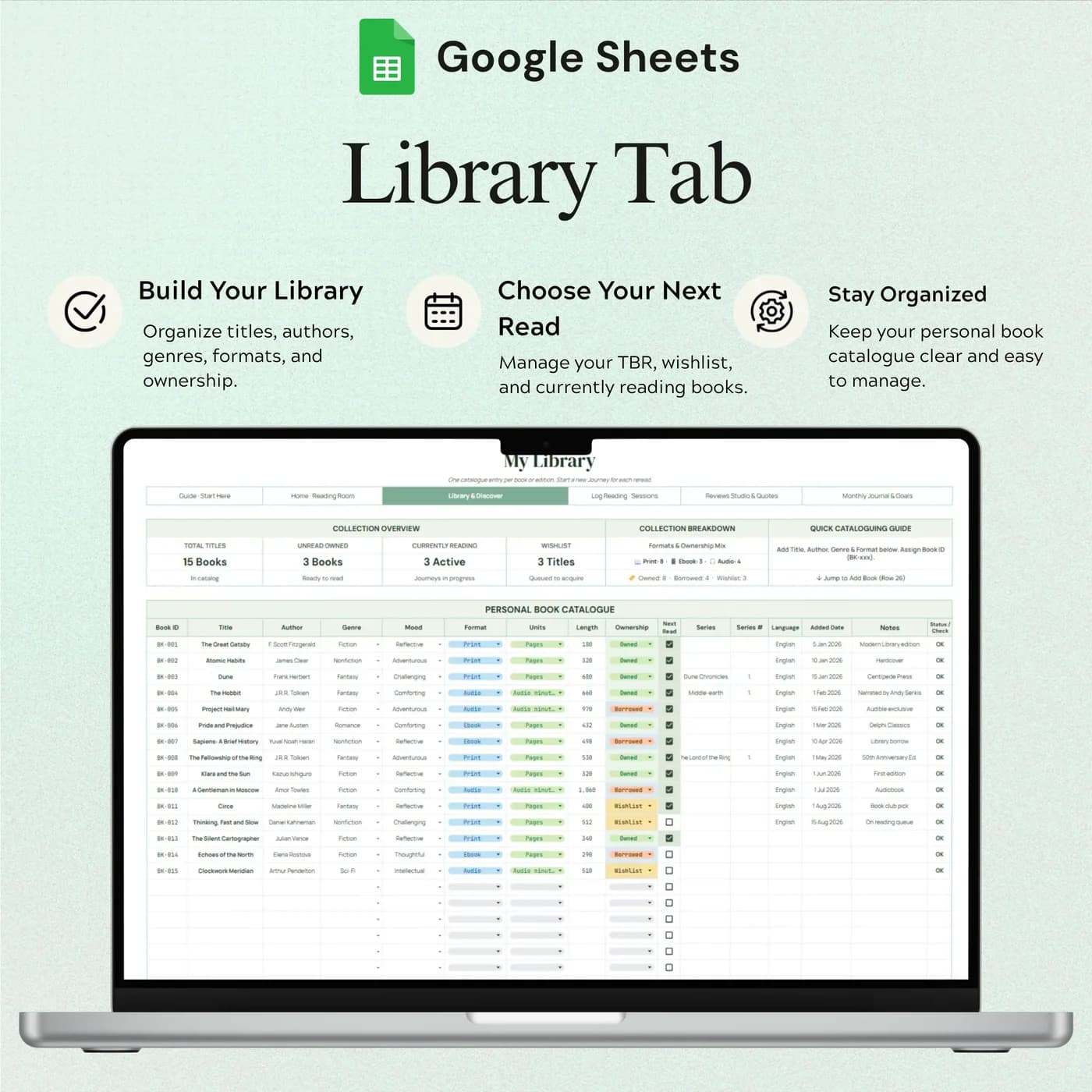
A book catalogue with titles, authors, genres, formats, ownership details and the books you want to read next.
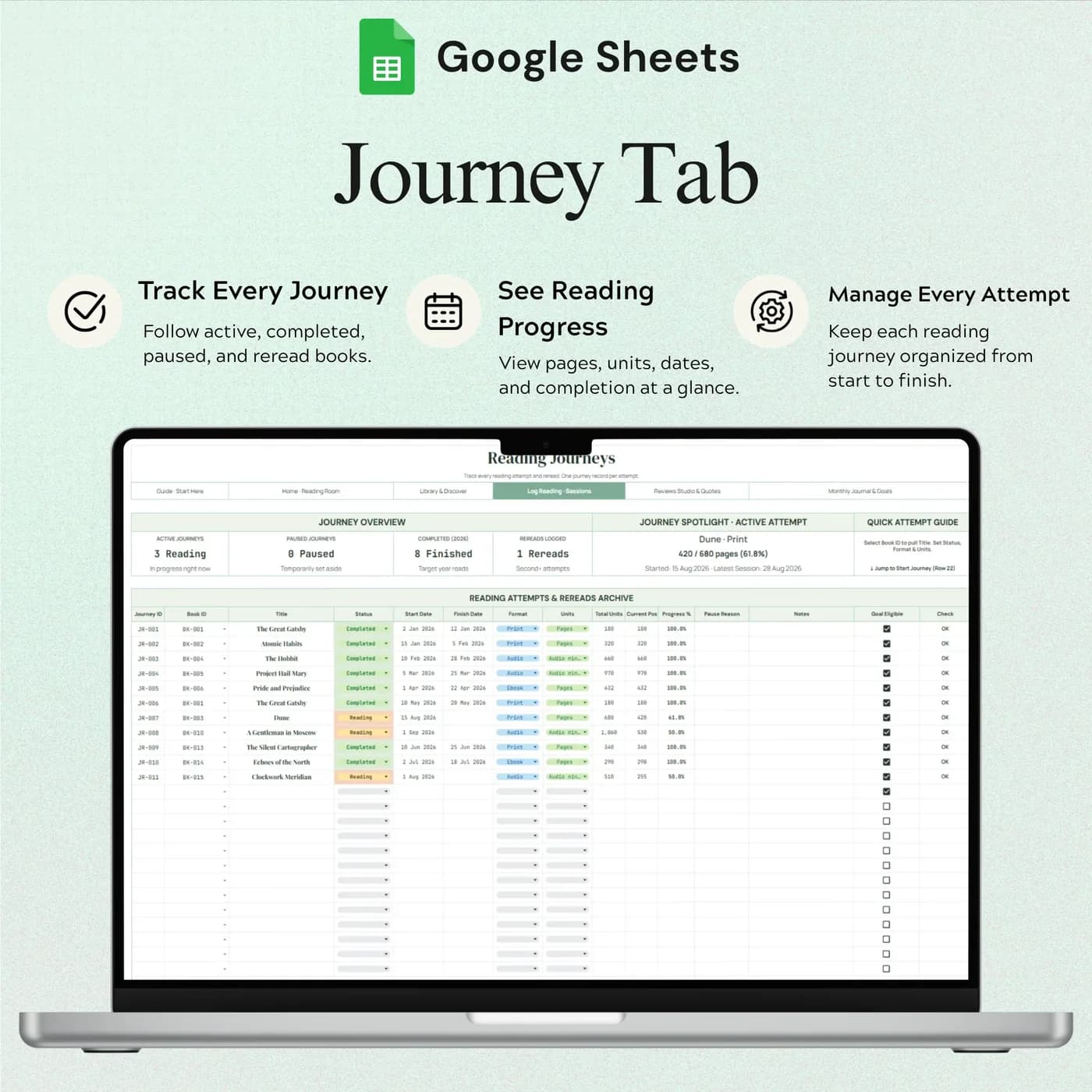
Journey
Individual reading journeys, one for each time you read a book. Keep one library entry per book or edition and start a new journey for a reread.
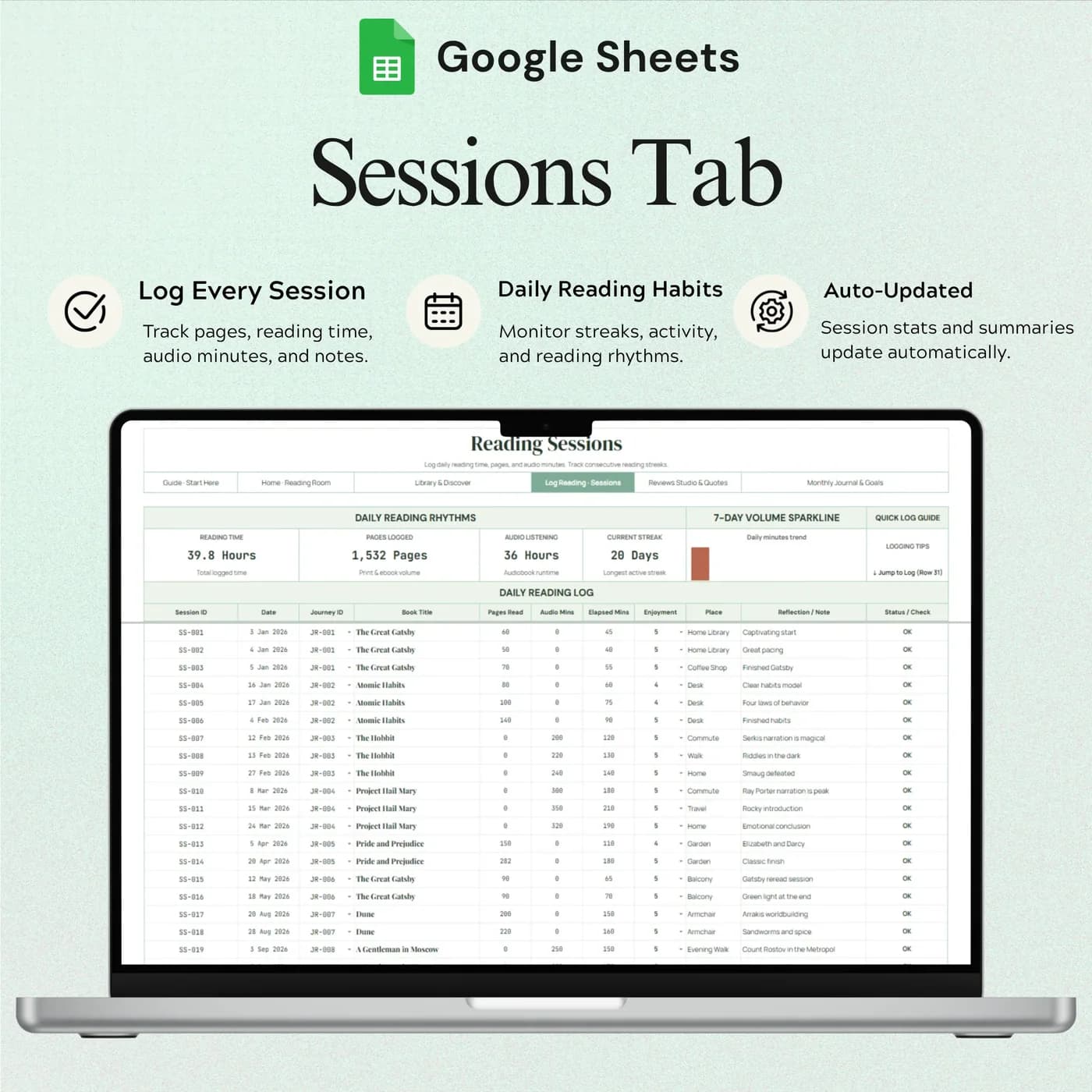
Sessions
Your reading session log, so you can see the time you spent reading alongside your book journeys.
Reviews
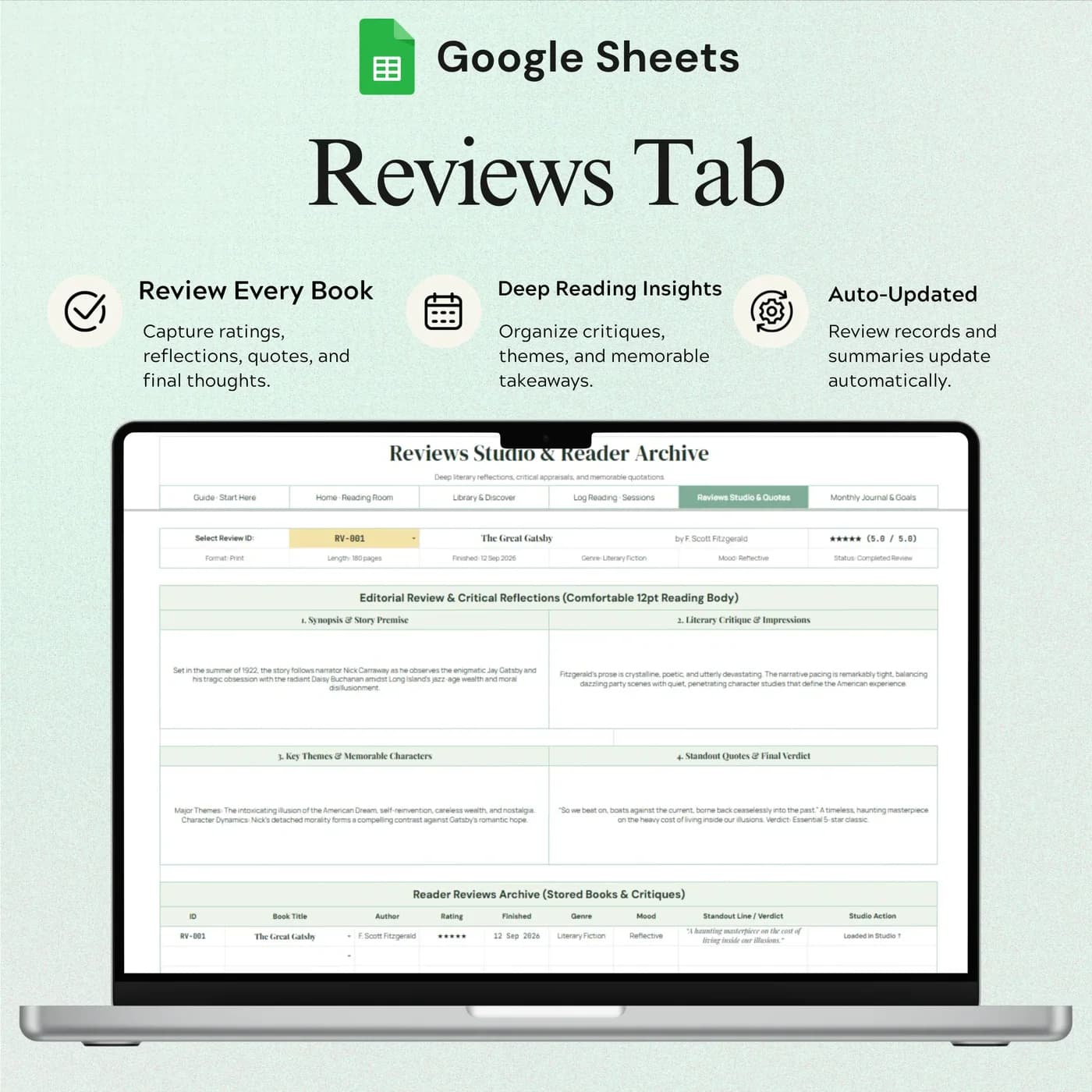
Ratings and reflections, so your opinions have a place that is more than a star count.
Monthly Journal
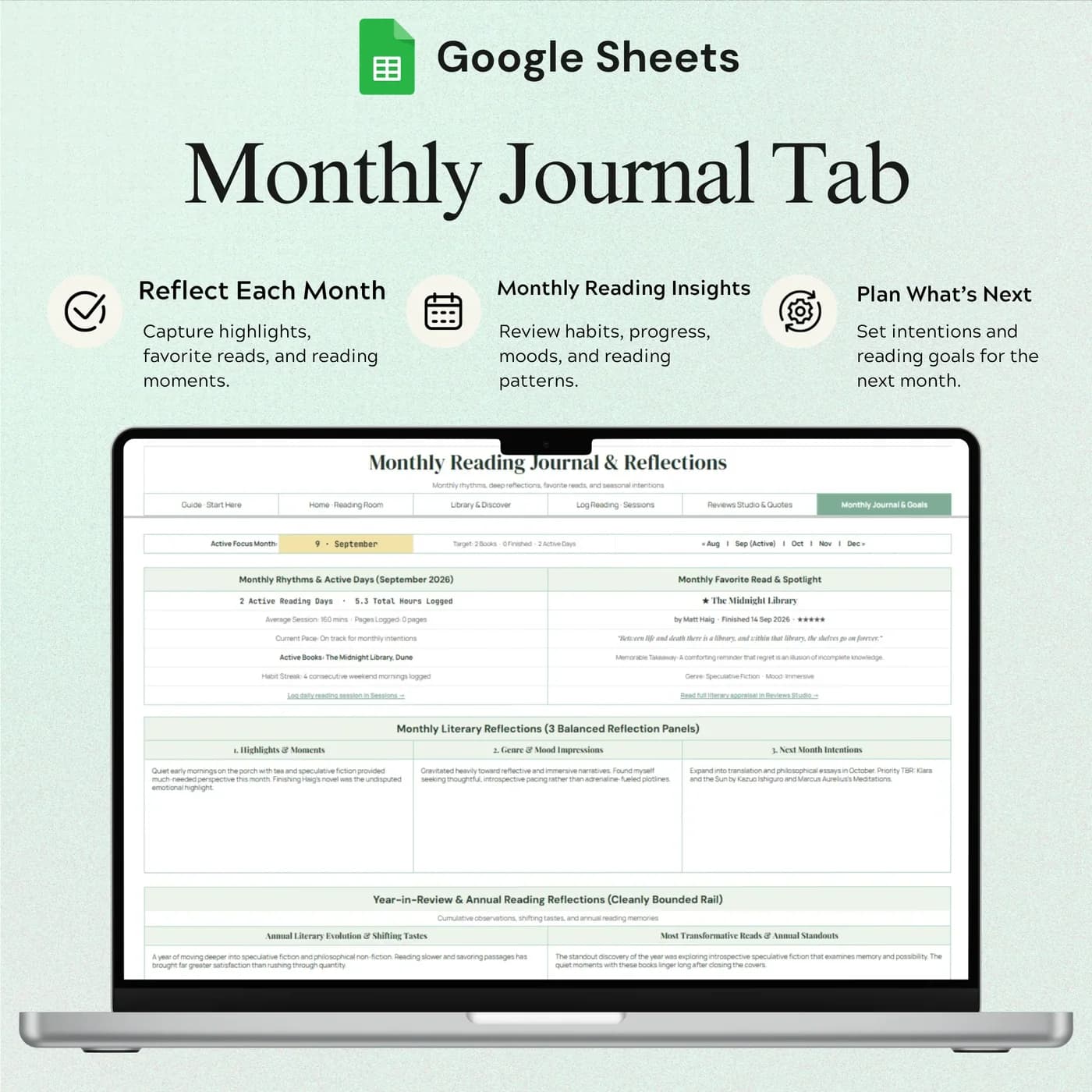
Your monthly reading notes.
Challenges
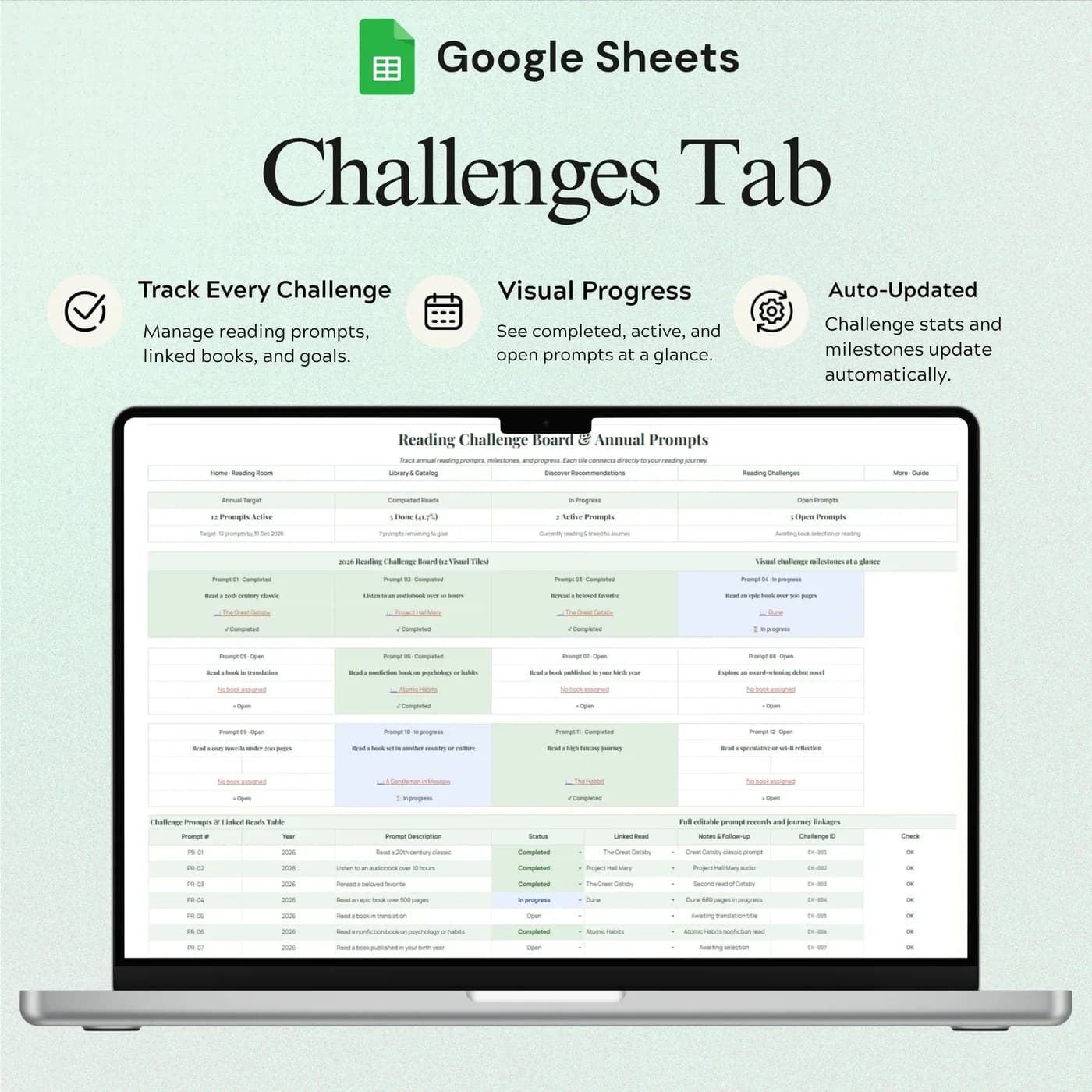
Reading challenge planning.
Discover
Books and ideas to explore.
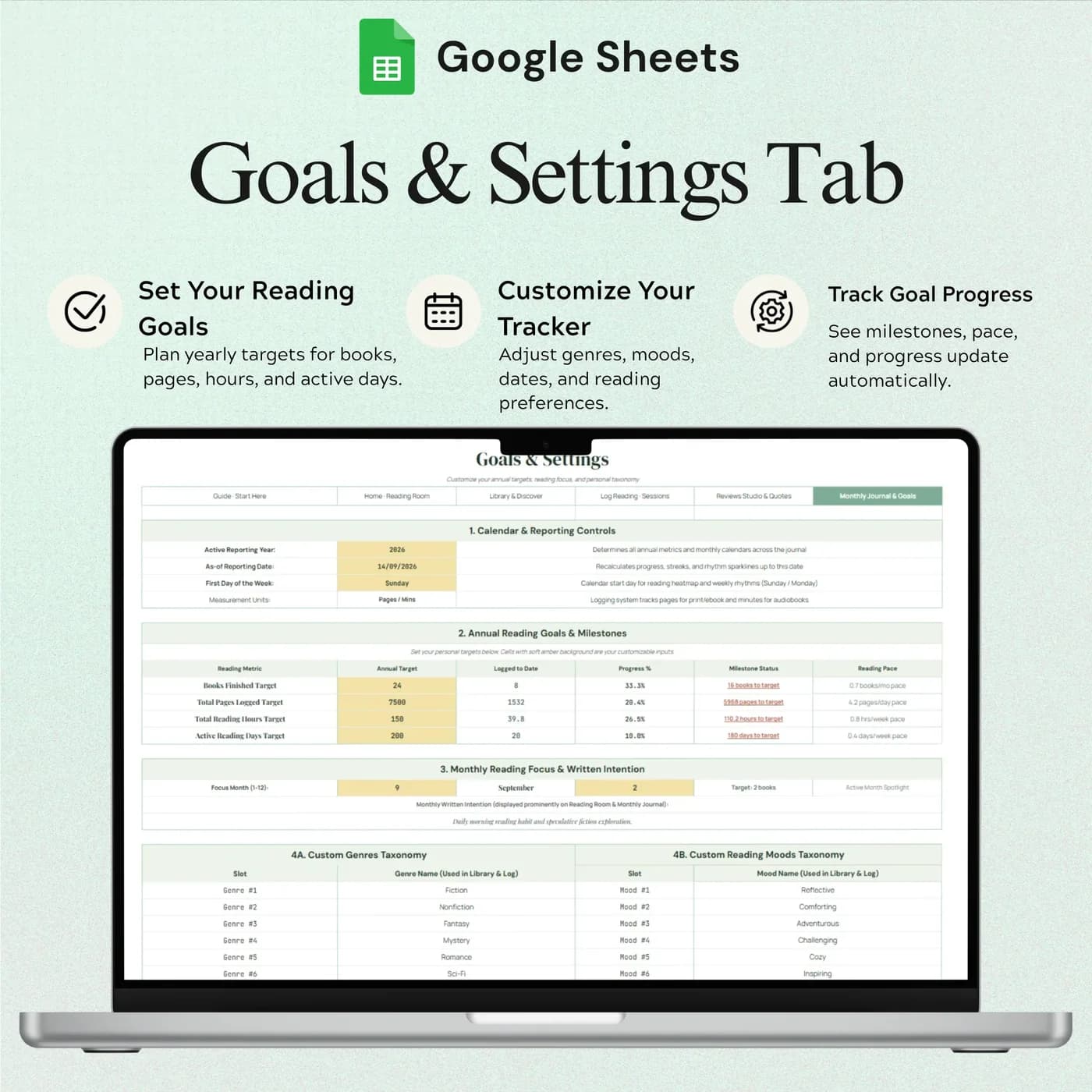
Goals & Settings
Your goals and journal options.
To build a routine around reading, the Habit Tracker tracks daily habits over twelve months. For students who read for study, the Student Organizer keeps classes and study sessions together.
How to plan a reading goal: a worked example
A reading goal is easier to keep when you turn it into a daily number. Divide the book length by your daily pages to see how long a book takes, then see how many books that pace allows in a year. This example uses example figures.
| Measure | Example |
|---|---|
| Average book length | 300 pages |
| Reading pace | 30 pages a day |
| Days per book (300 ÷ 30) | 10 days |
| Books per year at that pace (365 ÷ 10, rounded down) | 36 books |
| Yearly goal | 24 books |
| Books per month needed for the goal (24 ÷ 12) | 2 books |
The Goals & Settings and Challenges tabs give your goals a home, and the Sessions tab records how much you actually read. Comparing the two shows whether your pace matches your ambition. The figures above are examples, and real reading speed varies from book to book.
Start your reading journal in half an hour
Add the books you are reading now first. The back catalogue can come later.
Buy and download
Complete checkout and your download link for the Reading Life Journal arrives straight away.
Make your copy
Choose to make a copy when the link opens. The new file lives in your Google Drive and is the one you fill in.
Read Start Here
It explains the workflow so you know which tab to use for what.
Set your goals
In Goals & Settings, add your reading goals and journal options.
Add your books
Enter titles, authors, genres, formats and ownership in the Library.
Log a journey
Start a journey for the book you are reading, and add sessions as you go.
Write a review
When you finish, record your rating and thoughts in Reviews.
Keep one library entry per book or edition, and start a new journey each time you reread it. That keeps your history tidy and shows how many times you have returned to a favourite.
Reading journal template vs app vs paper notebook
Three common ways to keep a reading log, compared on what matters.
| Feature | This template | A book tracking app | A paper notebook |
|---|---|---|---|
| How you pay | One-time payment | Often free with ads or a paid tier | Cost of the notebook |
| Sessions, reviews and goals together | Yes, in one workbook | Varies by app | Only if you design the pages |
| Sorting and filtering | Google Sheets sorting and filters | Varies by app | Not possible |
| Automatic book details | No, you enter them | Often yes | No |
| Where your data lives | Your own Google Drive | On the provider’s servers | On paper |
Apps fetch the book details for you. A spreadsheet keeps the record in your hands, with the layout you choose.
What you get and what you need
- Included
- A Google Sheets template with 10 tabs, from Start Here to Goals & Settings.
- Format
- Delivered as a Google Sheets link, not as a PDF, an .xlsx file or a printable.
- You need
- A free Google account, to open the link and save your own editable copy.
- Excel
- Google Sheets is the supported home. An .xlsx export is possible, with the risk that formulas, charts or dropdowns change.
- Rereads
- Keep one library entry per book or edition, and start a new journey for each reread.
- Payment
- A single payment at the Lemon Squeezy checkout, with no subscription or renewal.
Frequently asked questions
What is a reading journal template?
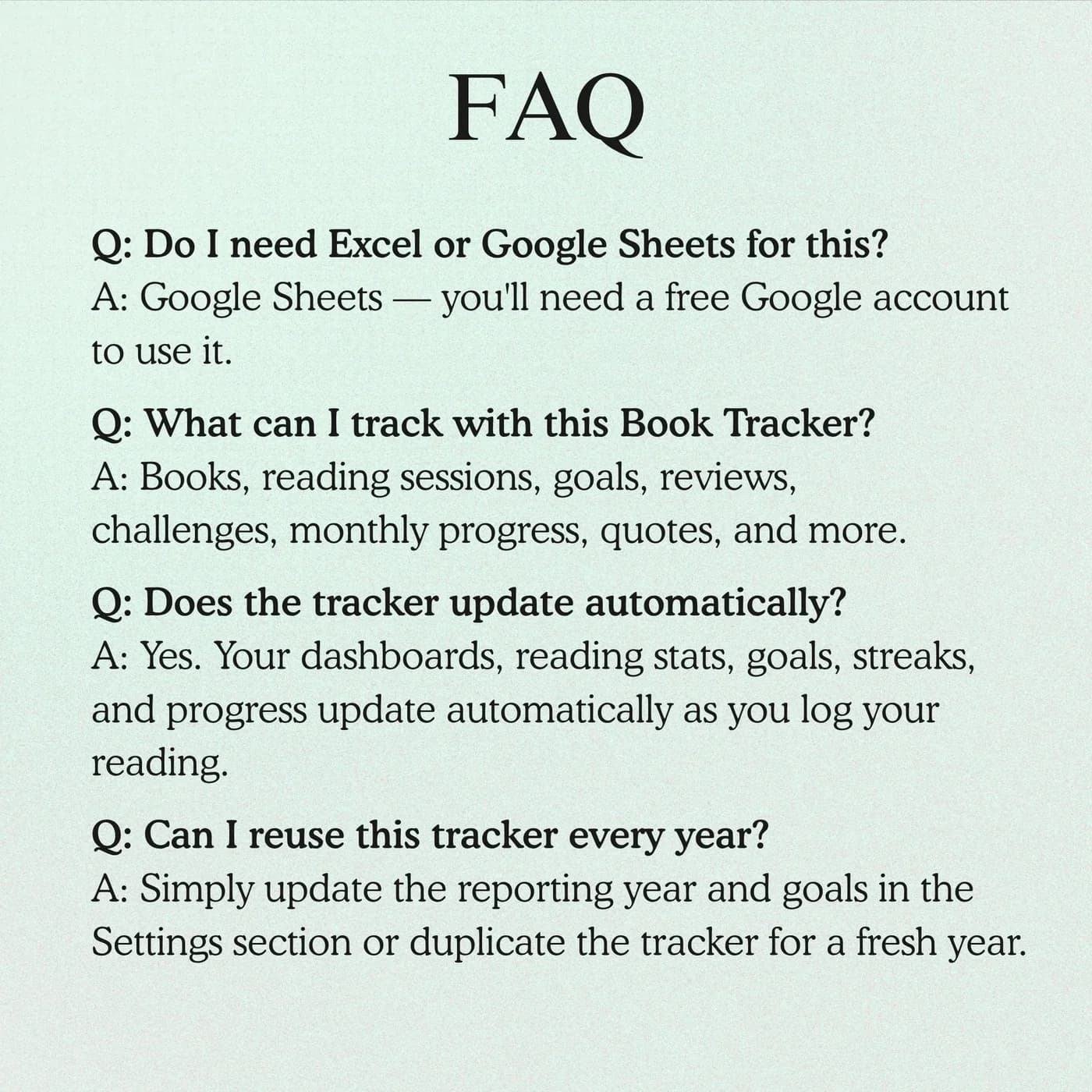
A reading journal template is a structured document for recording the books you read, what you thought of them and how your reading is going. This one runs in Google Sheets and covers your library, journeys, sessions, reviews, goals and challenges.
Is it a book tracker spreadsheet?
Yes. The Library tab works as a book tracker spreadsheet with titles, authors, genres, formats and ownership, and the other tabs add sessions, reviews and goals around it.
Can I track print, ebook and audiobook reads?
Yes. The Library records formats and ownership, and each reading journey can be tracked separately, so you can follow print, ebook and audio reading in the same journal.
Can I keep a new journey for a reread?
Yes. Keep one library entry per book or edition, then start a new journey for each reread. This keeps your history clean and shows how often you return to a book.
Does it track reading sessions?
Yes. The Sessions tab is a reading session log that sits alongside your book journeys, so you can see how much time you spend reading.
Does it include reading goals and challenges?
Yes. Goals & Settings holds your goals, and the Challenges tab is for reading challenge planning. Reviews and a Monthly Journal capture your thoughts along the way.
Where can I check the included files?
The “What you get and what you need” section on this page lists what is included. Check it before you buy.
Can I change the example data in the reading journal?
Yes. The previews show example entries. Replace them with your own details in your copy and keep the formula cells intact.
Can I open the reading journal in Excel?
No. The reading journal is a Google Sheets file that you open from a link. Downloading it as .xlsx is possible, yet some formulas, dropdowns and charts may not carry over to Excel, which is why Google Sheets is the recommended place to use it.
Do I need a Google account to use the reading journal?
Yes. A free Google account and Google Sheets are all you need. Open the download link, make your own editable copy in Google Drive and enter your details there.
Is the reading journal a subscription?
No. It is a one-time payment through Lemon Squeezy with no monthly fee. You pay once and keep your own copy.
Keep the books, keep the story of your reading
A library, journeys, sessions, reviews and goals in one Google Sheets journal.
Last updated . Written by the DGClicks Store team.