
- 8 tabs
- Budget, guests, vendors and tasks
- $10.49
- One payment, no subscription
- Google Sheets
- Editable copy in your own Drive
- Instant
- Download link arrives at checkout
What is the Wedding Planner?
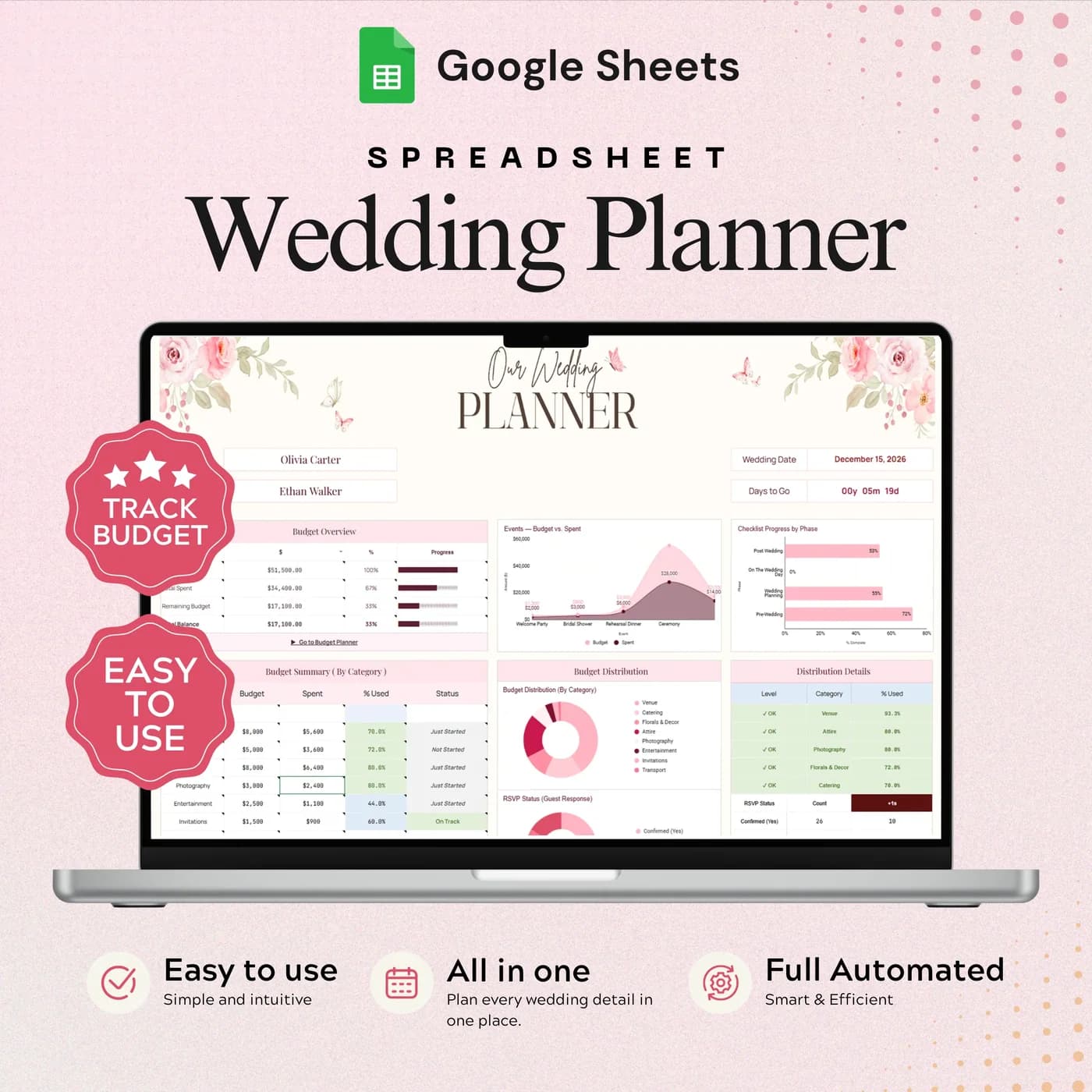
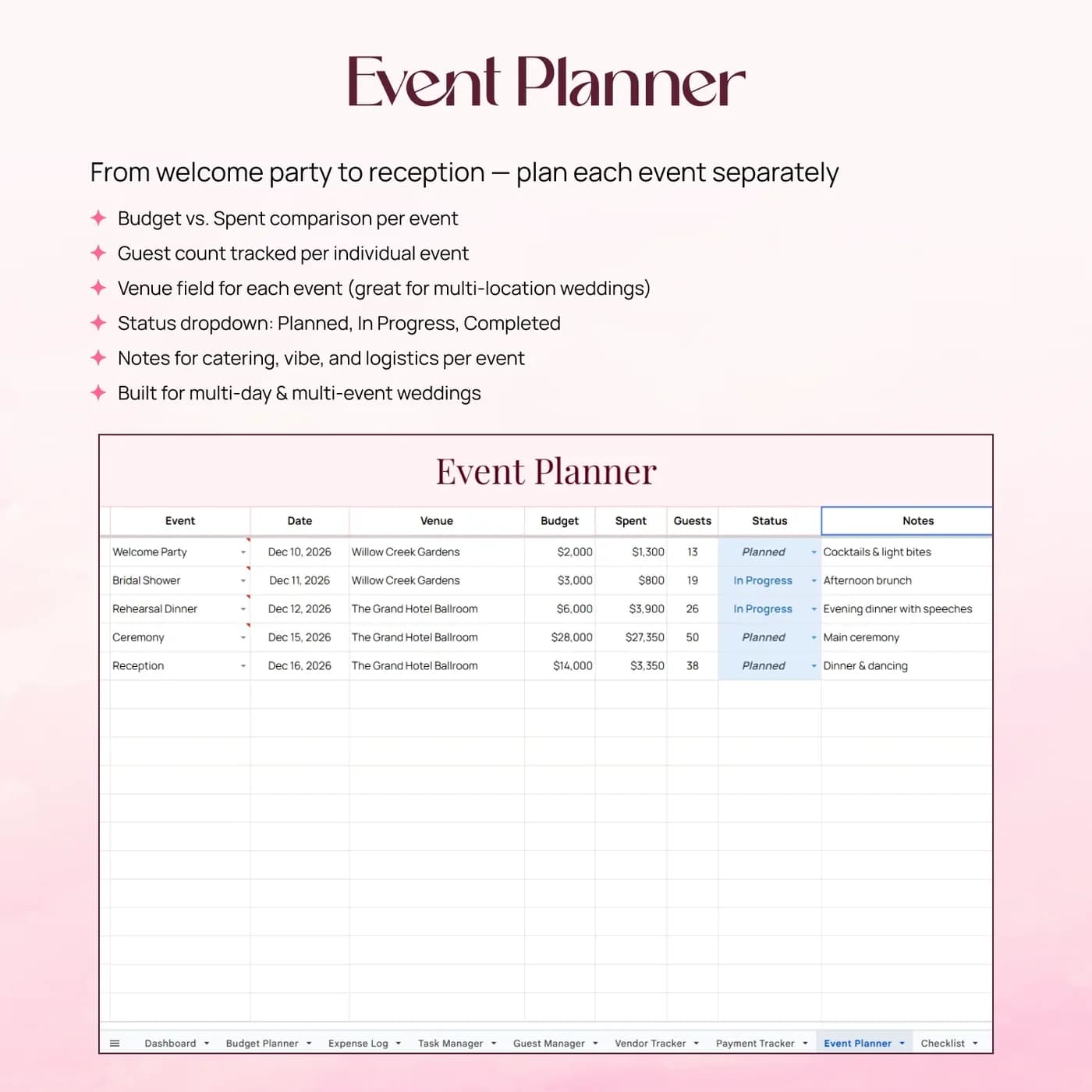
The Wedding Planner is a wedding planning template that holds the whole project in one Google Sheets workbook. A budget planner sets what you intend to spend by category, an expense log and payment tracker record what you actually spend and pay, a guest manager and vendor tracker keep the people in order, and a checklist and task manager organise what has to happen before the day.
Wedding plans fall apart when they live in too many places: a budget in one file, a guest list in another, vendor emails in a third. A wedding planner spreadsheet puts them side by side, so a change in one part is visible in the others. A new vendor quote can be compared with the budget the same minute you receive it.
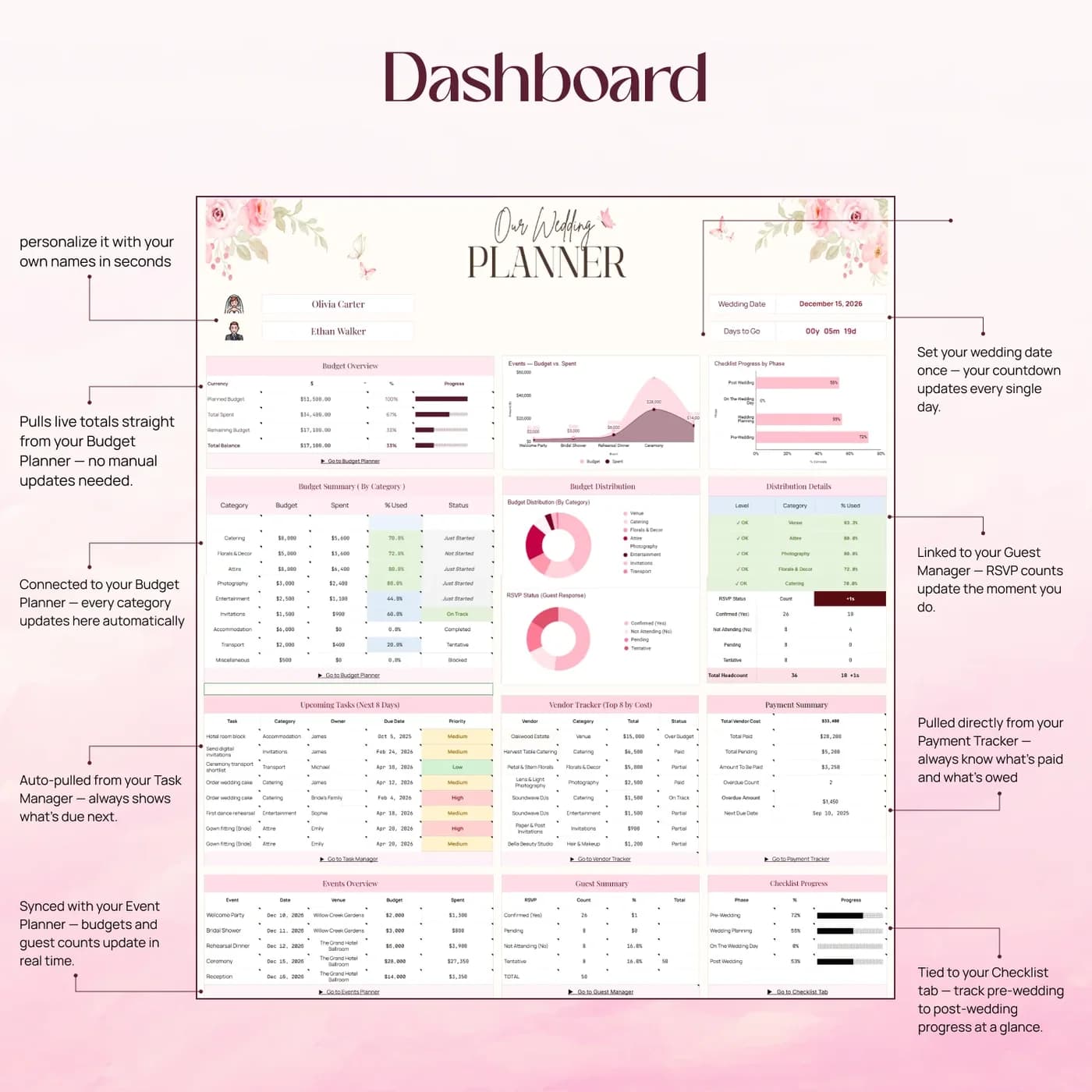
The dashboard gives a quick view of the plan, and the checklist keeps the long list of small jobs from becoming a source of stress. It is a planning tool for you and your partner or family, and it does not replace a professional planner. It does give you one reliable place to ask “where do we stand?”
Who this wedding planner spreadsheet is for
It suits couples who like to plan in detail and want the details in one place.
Made for
- Couples organising their wedding
- People tracking wedding budgets and payments
- Anyone coordinating guests, vendors and tasks
- Family members helping to plan a wedding
- Couples who prefer a spreadsheet to a binder of papers
Where it stops
It is not a guest-list-only workbook, and it does not make bookings or send invitations. It also does not include a seating chart tab. For a focused guest, RSVP, meal and thank-you tracker, see the Wedding Guest & RSVP Manager.
What is inside: 8 tabs for planning a wedding
The tabs follow how a wedding comes together: plan, spend, pay, invite, hire, do.
Dashboard
Your wedding planning overview, so you can see where the plan stands at a glance.
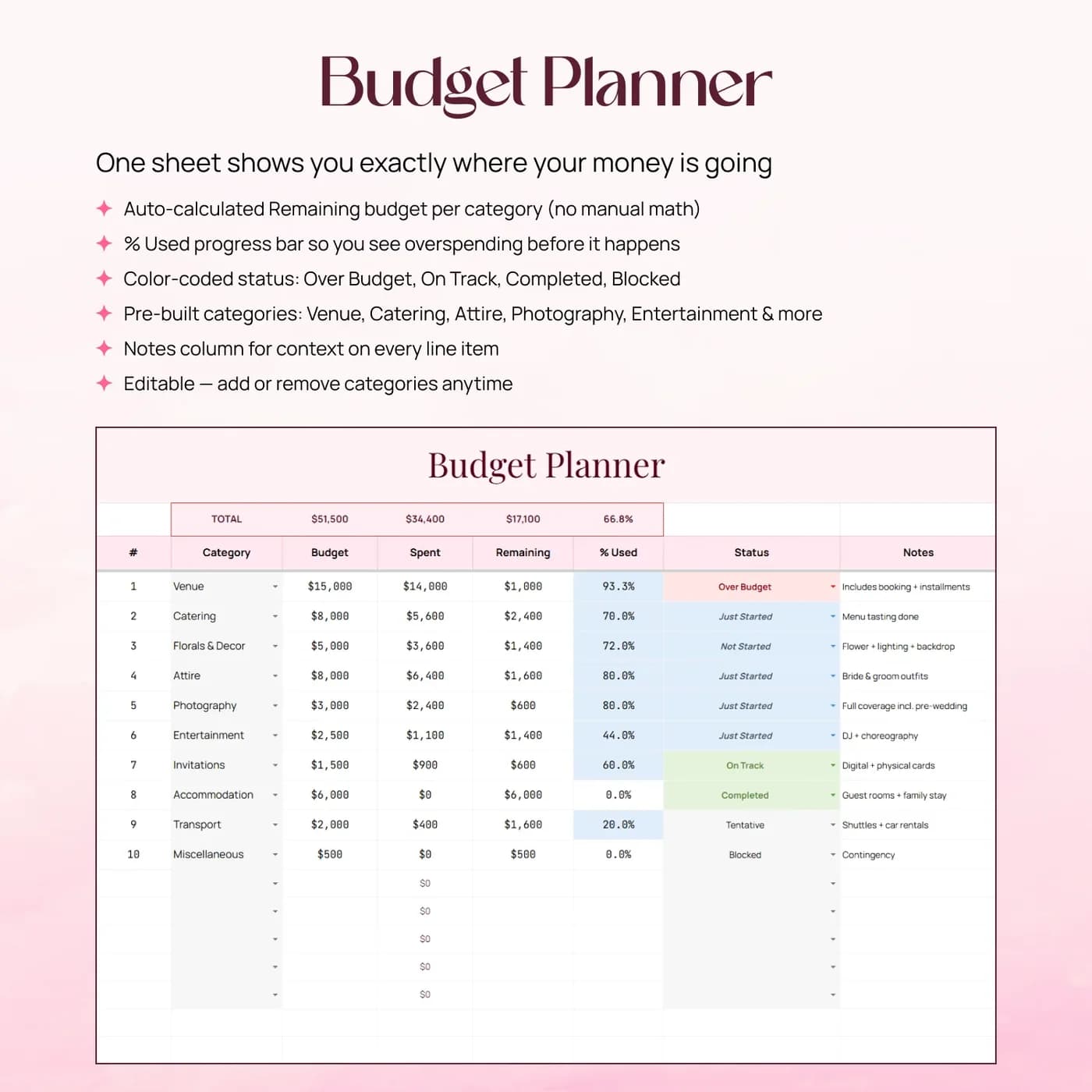
Budget Planner
Wedding budget categories and comparisons. Set the budget by category and review the amounts against your plan.
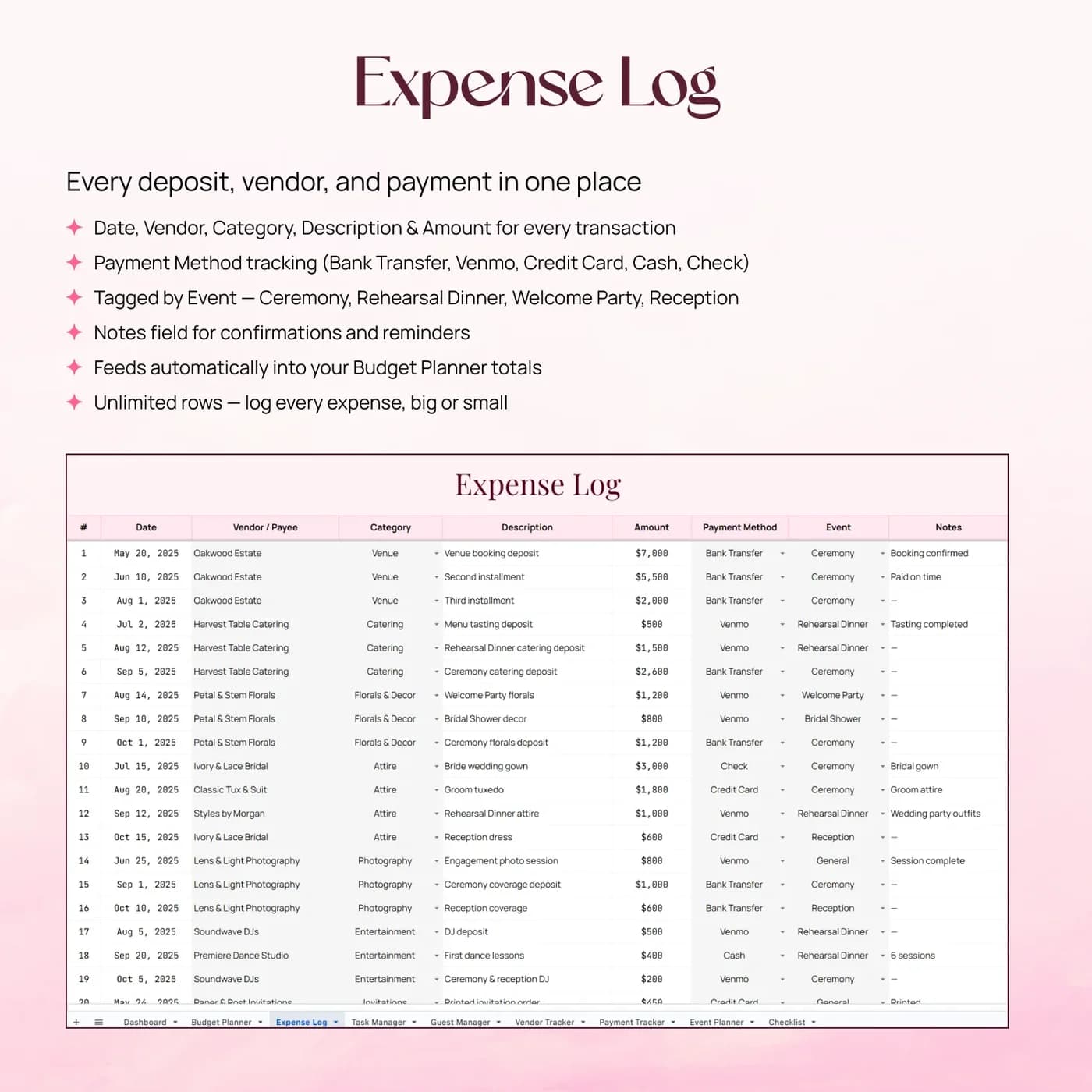
Expense Log
Your wedding expense entries, recorded as they happen.
Payment Tracker
Payments and amounts to keep track of, such as deposits and final balances.
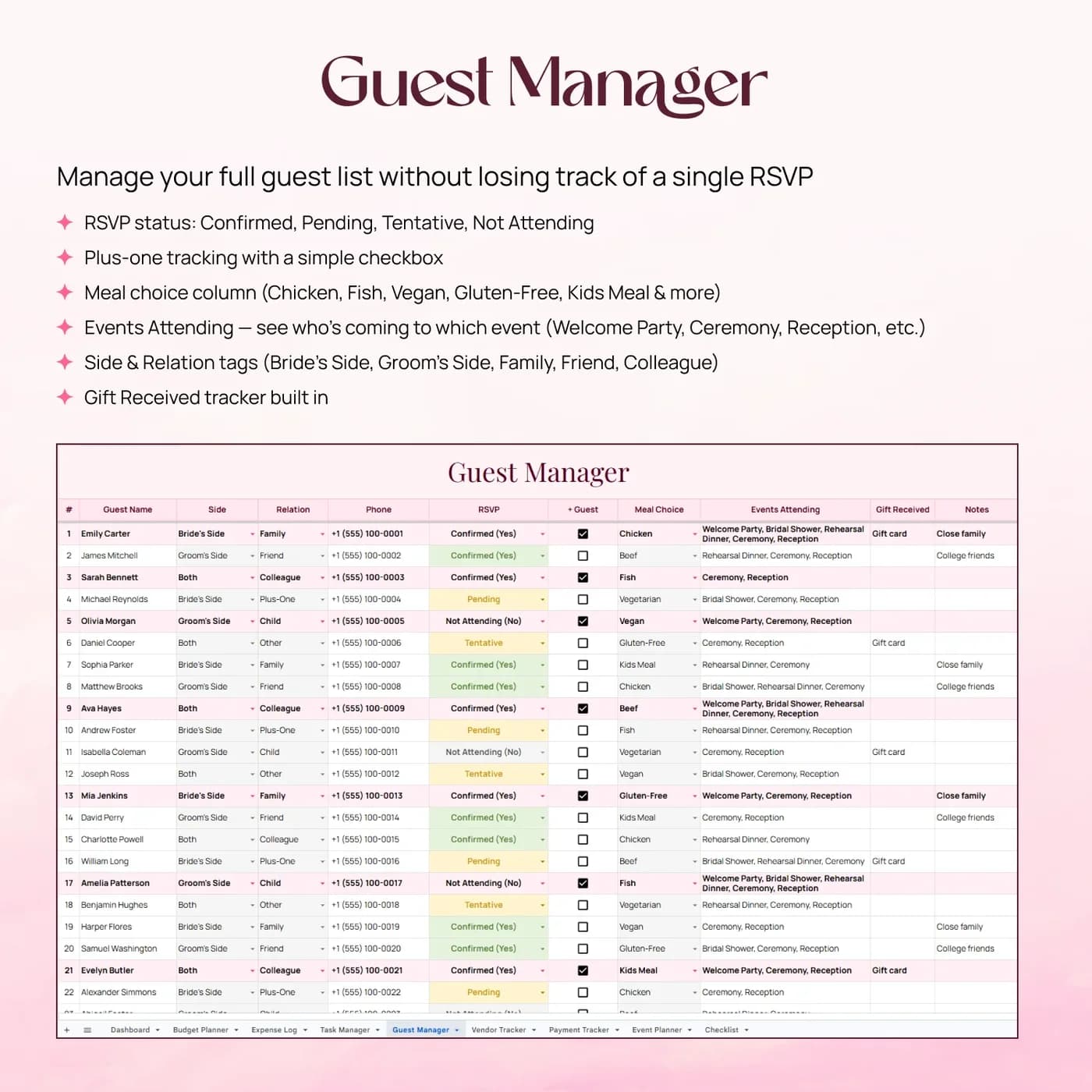
Guest Manager
Guest information for your event, kept alongside the other wedding planning views.
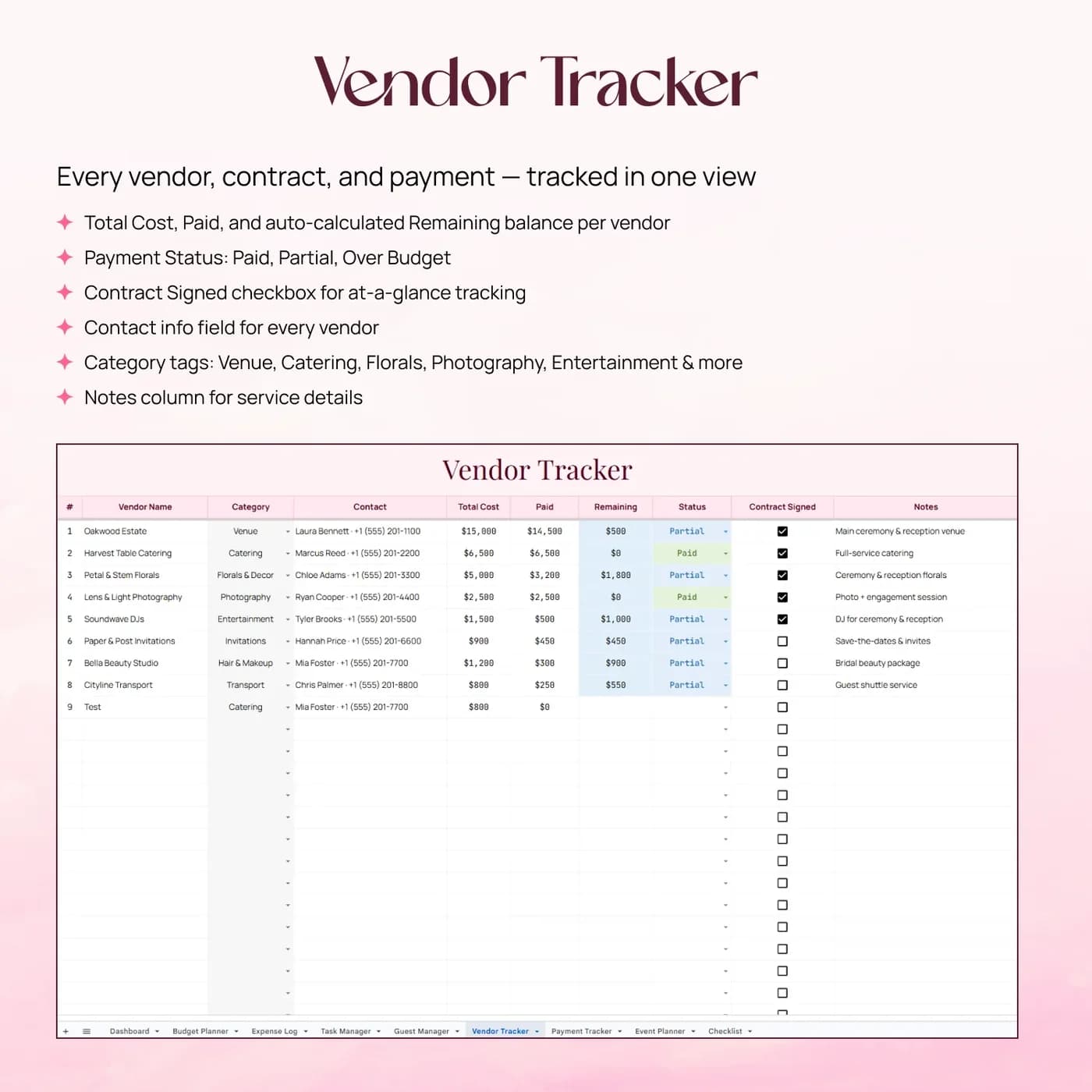
Vendor Tracker
Your supplier and vendor details in one list.
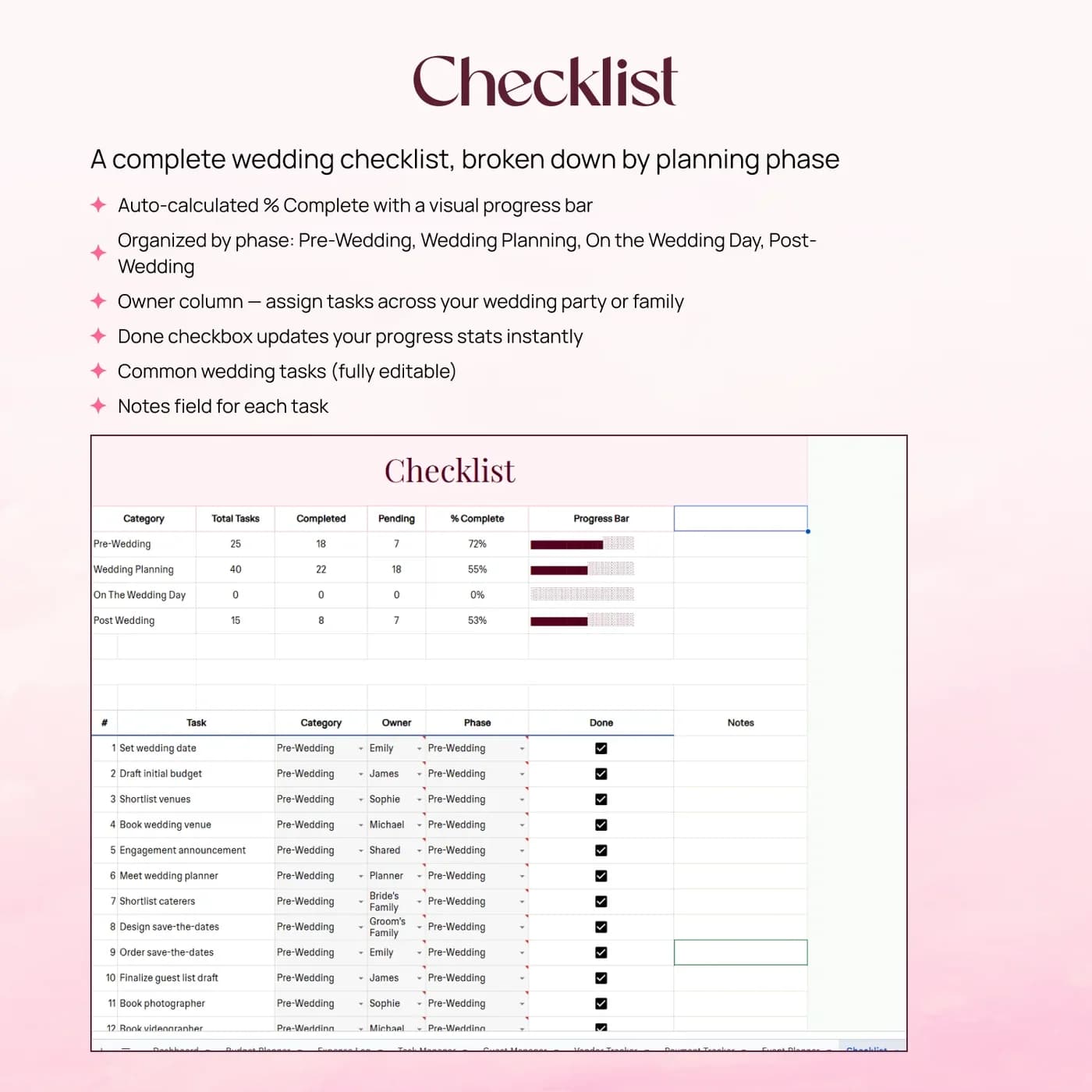
Checklist
Planning checklist items, so you can organise the tasks you want to complete before the day. This is the wedding planning checklist.
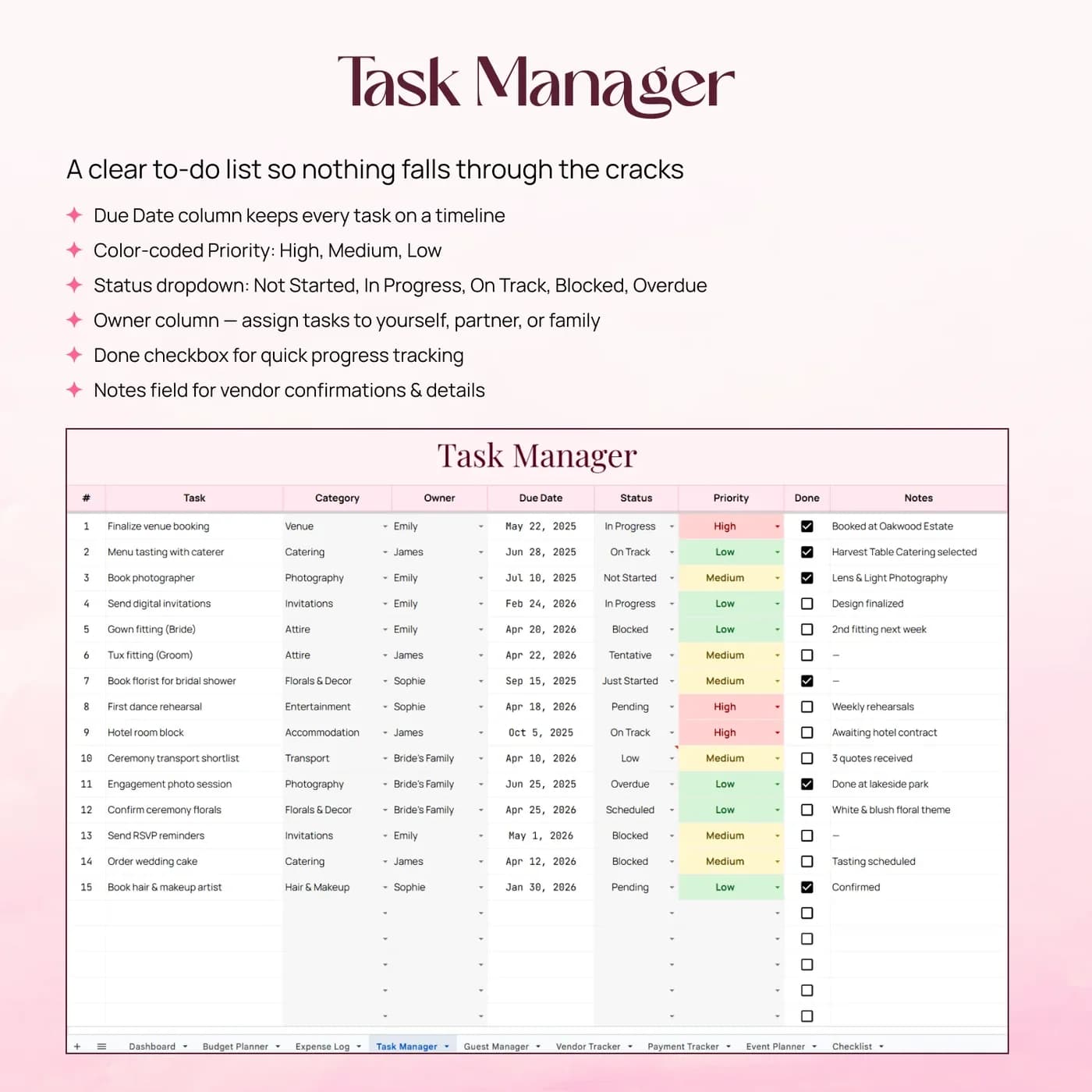
Task Manager
Tasks and their progress.
If your main job is invitations and replies, the Wedding Guest & RSVP Manager tracks RSVPs, meal choices and thank-you notes in more depth. To plan your everyday finances around the wedding costs, see the Sinking Funds Tracker.
How to split a wedding budget: a worked example
A wedding budget starts with a total and a split by category. These percentages are an example, not a recommendation: costs vary widely by place and guest count, and the Budget Planner lets you set whatever split suits your plans.
- Venue and catering$9,000
- Attire, beauty and photo$4,400
- Flowers, décor and music$3,600
- Everything else$3,000
| Category | Example budget |
|---|---|
| Venue and catering (45%) | $9,000 |
| Attire, beauty and photo (22%) | $4,400 |
| Flowers, décor and music (18%) | $3,600 |
| Everything else (15%) | $3,000 |
| Total | $20,000 |
Record real quotes in the Expense Log and Payment Tracker as they arrive, and the comparison with your budget stays current. A common timeline puts the biggest decisions first, such as venue and date, then vendors, then details like stationery; the Checklist and Task Manager help you order the work. The figures above are examples.
Set up your wedding planner in an evening
Start with the budget and the guest list, because most other decisions depend on them.
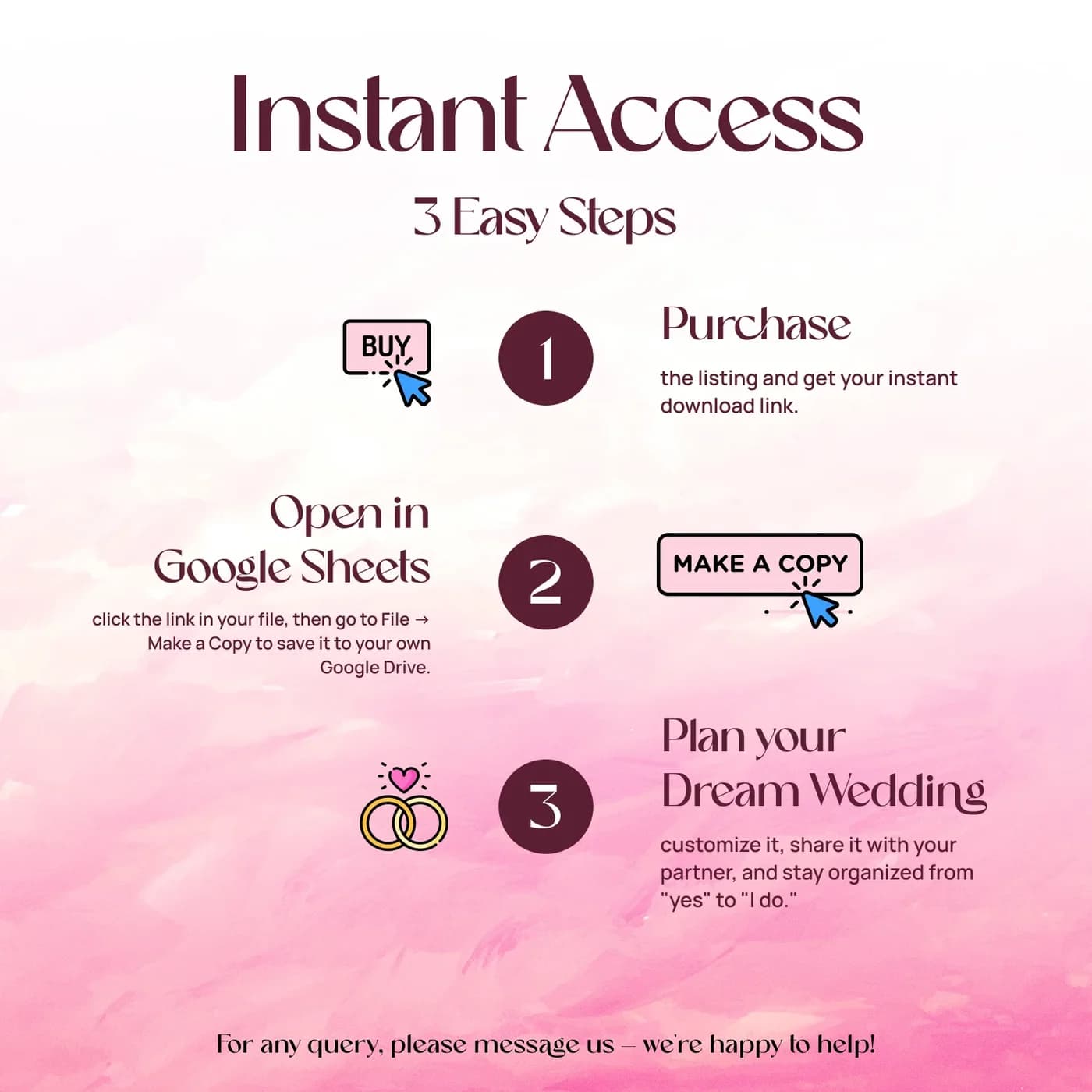
Buy and download
Check out with Lemon Squeezy and you get the link to the Wedding Planner as soon as the order completes.
Make your copy
Copy the template into your Google Drive from the link. Work in your own copy and leave the original untouched.
Set the budget
In the Budget Planner, enter your total and split it by category.
Add your guests
In the Guest Manager, start your guest information so you can see the likely numbers.
List your vendors
In the Vendor Tracker, keep each supplier’s details together as you shortlist.
Build the checklist
In the Checklist and Task Manager, organise the jobs to complete before the day.
Record spending
Log expenses and payments as they happen, and check the Dashboard for the overall picture.
Review the Dashboard together once a week. A short, regular check-in beats a long planning session, and it keeps both of you looking at the same numbers.
Wedding planner spreadsheet vs binder vs wedding app
Three common ways to plan a wedding, compared on what matters.
| Feature | This template | A paper binder | A wedding planning app |
|---|---|---|---|
| How you pay | One-time payment | Cost of the binder and printing | Free or a paid plan |
| Budget, guests, vendors and tasks together | Eight connected tabs | Separate sections | Varies by app |
| Sharing with a partner | Share your Google Sheets copy | One copy to pass around | Usually built in |
| Customising | Edit any input area | Anything you write | Limited to what the app offers |
| Where your data lives | Your own Google Drive | On paper | On the provider’s servers |
A binder is tactile and a single copy. A spreadsheet can be searched, shared and recalculated, which matters most for the budget.
What you get and what you need
- Included
- A Google Sheets template with 8 tabs, from the Dashboard to the Task Manager.
- Format
- A Google Sheets file delivered as a download link. It is not a PDF, an Excel file or a printable.
- You need
- Only a free Google account. Everything else happens in your own copy of the sheet.
- Excel
- Made in Google Sheets. Excel can open a downloaded copy, though some dropdowns, formulas and charts may not convert correctly.
- Seating chart
- Not included. The workbook covers budget, expenses, payments, guests, vendors, checklist and tasks.
- Payment
- A single payment at the Lemon Squeezy checkout, with no subscription or renewal.
Frequently asked questions
What is a wedding planner spreadsheet?
A wedding planner spreadsheet is a workbook that holds the budget, expenses, guests, vendors and tasks for a wedding. This one runs in Google Sheets with eight tabs and a dashboard, so the plan lives in one file instead of many.
Is this just a guest list?
No. This workbook includes budget, expense, payment, vendor and task views as well as guest information. For a deeper guest and RSVP tracker, see the Wedding Guest & RSVP Manager.
Does it include a wedding checklist?
Yes. The Checklist tab holds your planning checklist items, and the Task Manager tracks tasks and their progress, so the long list of jobs is organised in one place.
Can I use it as a wedding budget spreadsheet?
Yes. The Budget Planner sets budget categories and compares amounts, the Expense Log records what you spend, and the Payment Tracker follows payments. Together they work as a wedding budget template.
Can we use our own budget categories?
Use the workbook’s input and settings areas to adapt the plan to your wedding, and keep the formula areas intact.
Does it include a seating chart?
No. It covers budget, expenses, payments, guests, vendors, checklist and tasks. It does not include a seating chart tab.
Can my partner and I use it together?
Yes. Make your copy in Google Drive and share it with your partner or family, so everyone edits the same workbook.
Are the example figures in the wedding planner editable?
They are examples only. In your copy, overwrite them with your own entries; the calculated cells keep working as long as you do not replace their formulas.
Does the wedding planner work in Microsoft Excel?
Not directly. You get a Google Sheets link rather than an Excel workbook. Exporting to .xlsx is an option inside Google Sheets, but conversion can change formulas, dropdowns and charts, so the wedding planner is best used where it was built.
Is a Google account required for the wedding planner?
You need a free Google account. Open the link, choose to make a copy, and the workbook is saved in your Google Drive ready for your own details.
Is there a recurring fee for the wedding planner?
There is no recurring fee. The price is a single payment handled by Lemon Squeezy, and you keep the file afterwards.
Plan the day, keep the details together
Budget, guests, vendors and a wedding checklist in one Google Sheets workbook.
Last updated . Written by the DGClicks Store team.